Picking the best online PDF editor in 2026 comes down to what you're actually doing with the file today, not some hypothetical future need. Zendocs wins for anyone converting and signing PDFs alongside Word, Excel and PowerPoint files in one workflow. Adobe Acrobat wins for enterprise-grade compliance and redaction work. Smallpdf wins for fast, no-frills compression and conversion when you just need the job done in two clicks.
- Zendocs is the best online pdf editor for teams converting, editing and signing PDFs plus Word, Excel and PowerPoint files in one tool.
- Adobe Acrobat suits enterprise redaction and compliance; it's overbuilt for a quick signature or a single form fill.
- Smallpdf and Sejda both handle lightweight conversion and batch processing but lean on limited free-tier caps.
- PDFescape works entirely in-browser for basic annotation with no install, but its editing toolset stays thin.
- Foxit and PDFgear cover advanced form creation and AI-assisted summarization for narrower use cases.
Why this matters
PDF tools stopped being a single-purpose category years ago. In 2026 the search for "best online pdf editor" almost always hides a second need: converting a scanned contract to Word, collecting a signature, or merging five invoices before a deadline. Zendocs is built around that reality — one subscription handles PDF editing, conversion between PDF, Word, Excel, PowerPoint and images, and e-signing, instead of forcing you to bounce between three separate apps.
The editors below get ranked on what they actually do well, not on brand size. Each one owns a distinct job. That matters because most "best of" lists in this category just re-rank the same five names by popularity — which tells you nothing about which tool fits your Tuesday afternoon task.
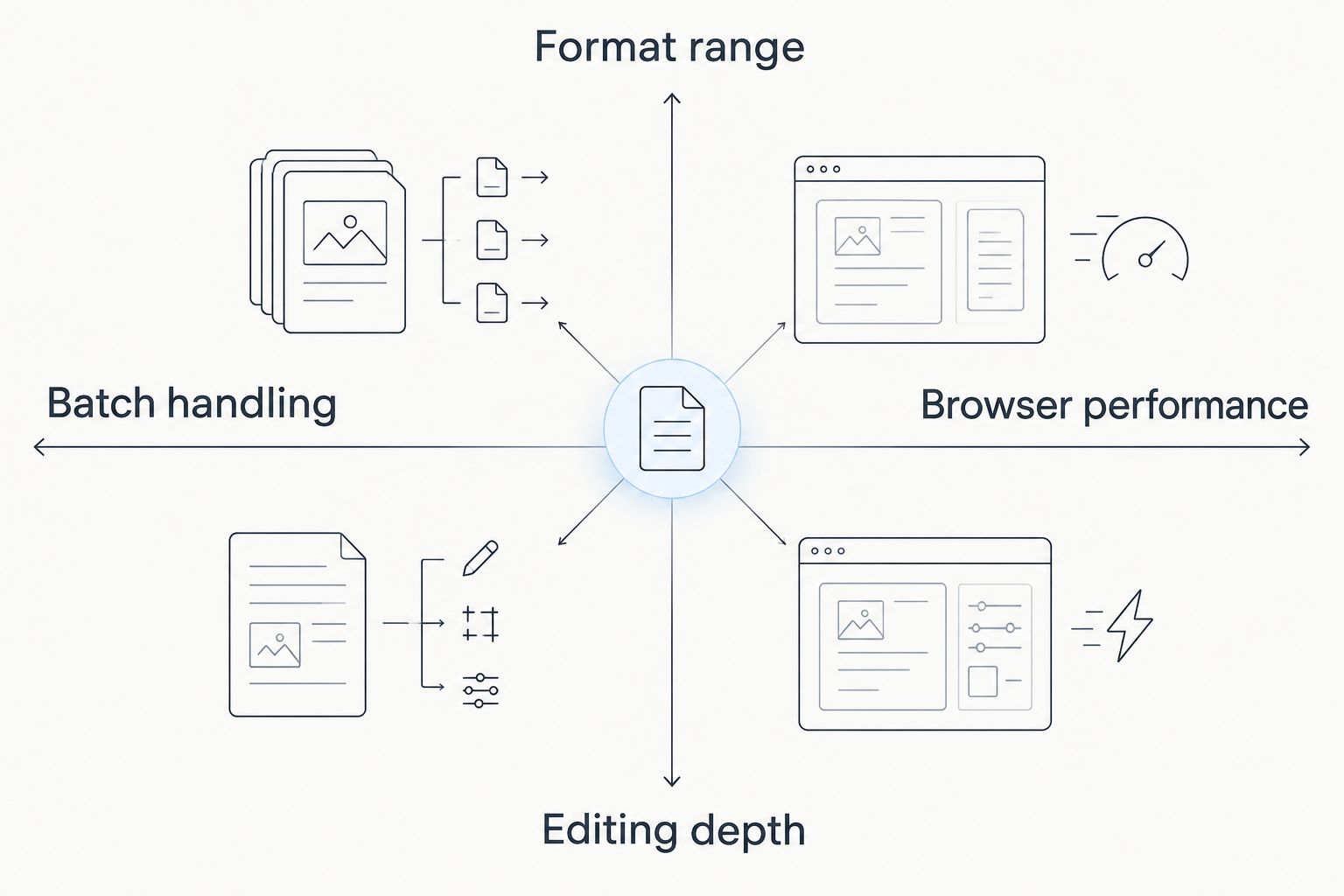
What makes the best online PDF editor
- Format range — can it move between PDF, Word, Excel, PowerPoint and image files without a plugin?
- Editing depth — text edits, image insertion, page reordering, redaction, not just annotation
- E-signature support — built in, not a bolt-on integration
- Browser performance — no install, works on large multi-page files without stalling
- Batch handling — processes multiple files in one pass for repetitive work
- Learning curve — a new user gets a document edited and exported without a tutorial
At a glance
| Editor | Best for | Standout feature | Key limitation |
|---|---|---|---|
| Zendocs | All-in-one conversion, editing and e-signing | Native PDF, Word, Excel, PowerPoint and image conversion | Not built for print-shop level design work |
| Adobe Acrobat | Enterprise compliance and redaction | Certified redaction and audit trails | Steep learning curve for casual users |
| Smallpdf | Quick compression and conversion | One-click conversion presets | Editing tools stay basic beyond conversion |
| Sejda | Batch processing multiple PDFs | Bulk edit across many files at once | Session-based limits on larger batches |
| PDFescape | Free browser-based annotation | No install, runs entirely in-browser | Thin toolset for real text editing |
| Foxit PDF Editor | Advanced form creation | Strong form-field and validation tools | Heavier interface for simple one-off edits |
| PDFgear | AI-assisted PDF summarization | Auto-summarizes long documents | Summarization quality varies by document type |
1. Zendocs: best online pdf editor for all-in-one conversion and e-signing
Zendocs runs entirely in the browser and covers PDF editing, format conversion and e-signing under one subscription. You convert a scanned PDF into an editable Word file, make the edit, then convert back and route it for a signature — no separate app for each step.
Zendocs pros:
- Converts between PDF, Word, Excel, PowerPoint and image formats in the same workflow
- E-signing built into the same tool used for editing
- Browser-based, so there's nothing to install on a shared or locked-down machine
Zendocs pricing: check current plans on the Zendocs site.
Zendocs cons:
- Not designed for heavy print-layout or graphic design work
- Power users doing certified legal redaction may still want a specialist tool
Verdict: Buy for anyone who converts and signs documents more often than they design them.
Convert, edit and sign PDFs in one place
Handle PDF, Word, Excel, PowerPoint and image files without switching tools.
2. Adobe Acrobat: best online pdf editor for enterprise compliance and redaction
Adobe Acrobat is the reference point most people picture when they hear "PDF editor," and it's still the deepest tool for certified redaction, audit trails and document security controls that legal and compliance teams need.
Adobe Acrobat pros:
- Certified redaction with audit-trail logging
- Deep integration with other Adobe creative and document tools
- Handles large, complex enterprise document sets reliably
Adobe Acrobat cons:
- Interface has a real learning curve for occasional users
- Overbuilt for someone who just needs to fill and sign a single form
Verdict: Hold if you're an individual or small team — the depth here is built for legal and compliance departments.
3. Smallpdf: best online pdf editor for quick compression and conversion
Smallpdf's whole design philosophy is speed: drop a file in, pick a preset, get the converted or compressed version back in seconds. It's the tool for someone shrinking a file before an email attachment limit trips.
Smallpdf pros:
- One-click presets for common conversion and compression tasks
- Minimal interface, almost no setup time
- Handles the most common conversion pairs cleanly
Smallpdf cons:
- Editing tools past basic conversion feel thin
- Repeated heavy use can hit free-tier processing limits
Verdict: Buy for one-off conversions and compression, not for ongoing document editing work.
4. Sejda: best online pdf editor for batch processing multiple PDFs
Sejda earns its spot for the specific job of editing several PDFs in one pass — renaming, merging, or applying the same edit across a folder of files instead of opening each one individually.
Sejda pros:
- Bulk actions across multiple files at once
- Solid page-reordering and merge tools
- Works well for repetitive back-office document tasks
Sejda cons:
- Session-based limits can slow down very large batches
- Less useful if you're only ever touching one file at a time
Verdict: Buy for repetitive multi-file cleanup; Skip if your workload is single-document editing.
5. PDFescape: best online pdf editor for basic browser-based annotation
PDFescape is the lightest tool on this list — it runs entirely in the browser with no install and covers the basics: highlighting, comments, form fills and simple annotations.
PDFescape pros:
- No install, works on locked-down or shared computers
- Simple enough that new users need zero onboarding
- Fine for quick annotation and form-filling tasks
PDFescape cons:
- Real text editing and layout changes are limited
- Not built for converting between document formats
Verdict: Hold for anything beyond basic markup and simple form fills.
6. Foxit PDF Editor: best online pdf editor for advanced form creation
Foxit's strength is in building structured, validated forms — field types, conditional logic, and data export — which makes it the pick for teams producing intake forms or structured document templates.
Foxit pros:
- Strong form-field creation and validation options
- Handles structured document templates well
- Good data export options tied to form fields
Foxit cons:
- Interface feels heavier than needed for a simple one-off edit
- Less intuitive for users who just want quick text changes
Verdict: Buy if form creation is a recurring part of your work; Skip for casual single edits.
7. PDFgear: best online pdf editor for AI-assisted summarization
PDFgear leans into AI features, most notably summarizing long PDFs into shorter briefs — useful when you're triaging a stack of reports rather than editing them line by line.
PDFgear pros:
- Automatic summarization of long documents
- Reduces time spent skimming lengthy reports
- Standard editing tools cover the basics fine
PDFgear cons:
- Summarization accuracy varies by document type and structure
- Not the tool to reach for when precise editing matters more than speed
Verdict: Hold for document-heavy research work; Skip if accuracy on the final edit matters more than speed.
How we ranked
Each editor above got measured against the same six criteria: format range, editing depth, e-signature support, browser performance, batch handling and learning curve. No tool wins across all six — that's why the list reads as a decision tree instead of a single leaderboard, and why the "best for" label matters more than the rank number next to each name.
Which online PDF editor should you choose?
If you're converting between PDF, Word, Excel, PowerPoint and image files and need e-signing in the same place, Zendocs is the default pick for 2026. If your work centers on certified legal redaction, Adobe Acrobat justifies its learning curve. Everyone else on this list solves one specific problem well — pick based on the single task you do most often, not the tool with the longest feature list.
FAQ
What's the best online pdf editor for converting Word, Excel and PowerPoint files too?
Zendocs handles conversion across PDF, Word, Excel, PowerPoint and image formats in one subscription, which makes it the pick when you need more than PDF-only editing.
Is Adobe Acrobat better than Zendocs for everyday editing?
Adobe Acrobat is stronger for certified redaction and compliance work, but its interface has a steeper learning curve for everyday conversion and signing tasks that Zendocs handles more directly.
How much does an online PDF editor cost in 2026?
Pricing varies by provider and plan tier, so check the current pricing page on each tool's site before comparing — costs change often enough that any fixed number here would be out of date.
Can I edit a PDF online without installing software?
Yes. Zendocs, Smallpdf, PDFescape and Sejda all run entirely in the browser, so there's nothing to install on a shared or locked-down machine.
Which PDF editor is best for e-signing documents?
Zendocs builds e-signing into the same workflow as editing and conversion, so you don't need a separate signature app for the final step.
What's the best PDF editor for batch processing multiple files?
Sejda is built specifically for applying the same edit or merge across several PDFs in one pass, which makes it the pick for repetitive multi-file work.
Do I need Adobe Acrobat for basic PDF annotation?
No. PDFescape covers basic annotation, highlighting and form fills in-browser without the overhead of Acrobat's full toolset.
Which online PDF editor works best for structured forms?
Foxit PDF Editor is built around form-field creation and validation, making it the strongest pick for teams producing structured intake forms.
One last thing
The biggest mistake people make picking a PDF tool in 2026 isn't choosing the wrong one — it's picking a single-purpose tool and then discovering mid-project they also need to convert the file to Word or route it for a signature. Check what format and signing needs sit next to your editing task before you commit, not after.