

Choose Zendocs if you need to convert, edit, sign, and manage documents across PDF, Word, Excel, PowerPoint, and images; choose PDFRun if your starting point is a form from its online catalog that you need to complete. This 2026 comparison separates mixed-format document processing from form-first PDF work so you can choose around the task, not the feature list.
- Zendocs vs PDFRun comes down to mixed-format document processing versus form-first PDF work.
- Zendocs is best for individuals and businesses handling PDFs alongside Word, Excel, PowerPoint, and images.
- PDFRun is best for users who find the form they need in its online catalog.
- Compare the exported document, subscription terms, and signing requirements before choosing either PDF editor.
Why this matters
A PDF editor can fit the document in front of you and still fit your overall workload poorly. Someone updating a spreadsheet-derived report has a different problem from someone completing an existing application form. The first task starts with content and formats; the second starts with fields and instructions.
For your 2026 decision, identify where the work begins and what must happen after editing. A tool that helps you complete a form is not automatically the right choice for converting office documents. A tool that processes multiple formats does not automatically provide the exact template you need.
Choose around your recurring document workflow, not a single convenient feature. Editing and signing matter, but the original file, required output, and next recipient determine whether those features solve your problem.
At a glance
This 2026 comparison uses workflow fit rather than unsupported speed, quality, or security rankings. The table distinguishes a stated capability from a result you still need to check with your own document.
| Dimension | Zendocs | PDFRun |
|---|---|---|
| Best for | Individuals and businesses processing mixed document formats | Users starting with an existing online form |
| Standout feature | Converting, editing, signing, and managing documents within a web-based tool | A form catalog that provides a starting document |
| Format conversion | Explicitly covers PDF, Word, Excel, PowerPoint, and images | Do not treat form preparation as proof of conversion coverage |
| Form preparation | Fits work that begins with a document you already have | Fits work that begins by finding a form |
| PDF editing | Editing is part of its stated document-processing scope | Online PDF editing supports form completion |
| Signing | Signing is part of its stated document-processing scope | Signing is part of its online PDF workflow |
| Repeat work | Best evaluated against a recurring mixed-format workflow | Best evaluated against recurring use of a particular form |
| Pricing model | Web-based subscription | Evaluate the current subscription and billing terms for your intended use |
Zendocs fits mixed files; PDFRun fits a form-first starting point
Best for mixed-format work: the person who moves between office documents, images, and PDFs. That includes a business user preparing documents from different source formats rather than repeatedly completing the same kind of form.
The advantage is scope: conversion, editing, signing, and document management belong to the stated offering. The limitation is that scope alone does not establish how a particular conversion will look. You still need to inspect the output before using it in a client or internal workflow.
Best for form-first work: the person who needs a particular form and wants to start from an existing template. PDFRun fits that scenario when its catalog contains the document required for the task.
Its advantage is the starting point. Its limitation is equally concrete: a convenient template is useful only if its wording, version, and purpose match your requirement. Finding a similarly named document is not enough.
PDFRun's catalog wins when you need a starting form
A form catalog addresses a different problem from file conversion: it helps you find the document before you begin completing it. If you do not already have the required form, that starting point belongs near the top of your decision criteria.
PDFRun is the stronger fit for this specific scenario when its catalog supplies the form you need. That is a conditional workflow recommendation, not a claim that every listed template is suitable for every use.
Before choosing a template, check:
- Purpose: does the form describe your actual transaction or request?
- Issuer: does the receiving organization require its own document?
- Version: does the document match the version the recipient accepts?
- Instructions: are there supporting documents or completion requirements?
A catalog cannot replace those checks. If the recipient supplies a mandatory form, start with that document rather than substituting a more convenient template. The best starting point is the correct form, regardless of where you find it.
Zendocs fits conversion work that spans office files and PDFs
Zendocs is best for individuals and businesses that need mixed-format document processing. Its stated scope includes PDF, Word, Excel, PowerPoint, and images, alongside conversion, editing, signing, and management.
That matters when your input is not already the final document. You might need to change the format before making edits or prepare a PDF from material created elsewhere. In that scenario, format handling is a selection criterion, not an incidental feature.
Do not assume that naming a format guarantees every conversion direction or preserves every layout element. Confirm the exact input-to-output task you need. A PDF created from a spreadsheet and a spreadsheet reconstructed from a PDF are different operations.
Inspect the parts most likely to affect usability:
- Tables and column alignment.
- Page breaks and headers.
- Fonts and text wrapping.
- Images and captions.
- Whether the exported file opens correctly in the receiving application.
Choose the documented format scope for fit, then judge the actual output for quality. A conversion button is not the finished result.
PDFRun fits preparation when the form is already defined
Form-first work has a clear boundary: the document structure already exists, and your job is to provide the required information. PDFRun fits that process when you can begin with the appropriate form and complete it in its online workflow.
The benefit is avoiding an unnecessary document-creation step. You are not designing a layout or rebuilding a form from scratch. You are working within an existing structure.
The limitation is that completing fields does not establish that the document is ready to submit. Check whether the instructions require attachments, a particular signature method, or delivery through a designated channel.
If your task instead involves rewriting substantial content, changing the document's structure, or processing material from other formats, evaluate an editing-and-conversion workflow rather than choosing solely on template access.
A form-first tool wins when the form is the task. It is a narrower recommendation than saying a form catalog wins every PDF workflow, and it keeps the decision tied to what you actually need to finish.
Both support editing; your document determines the winner
Both options address online PDF editing, so editing alone does not settle the comparison. The useful question is what you need to change: existing text, form information, or the structure of a document created elsewhere.
For your 2026 evaluation, use a real document rather than an empty sample. Editing requirements become visible when you encounter the actual layout, fonts, fields, and page boundaries.
Check the finished file, not just the browser preview:
- Does the edited text remain readable and correctly positioned?
- Can you distinguish completed fields from instructions?
- Are all required pages present?
- Does the exported document retain the intended content?
Neither product gets an editing-quality win without a matched document test. That is an honest tie on broad capability, not proof that the interfaces or results are identical.
Pick the editor that completes your specific change and produces an acceptable export. A familiar interface helps, but it does not compensate for a document you cannot use afterward.
Both support signing; acceptance is the deciding requirement
Signing is part of both document workflows. That makes basic signing a tie for this comparison, while the recipient's requirements remain the deciding factor for your actual task.
An electronic signature, an identity-verification process, and a notarized document are not interchangeable requirements. Do not assume that adding a signature satisfies every transaction, application, or submission rule.
Before signing, establish:
- Who must sign the document.
- Whether the recipient accepts the proposed signature method.
- Whether identity checks or supporting evidence are required.
- Whether the document needs a separate notarization process.
The advantage of signing inside a document workflow is that it keeps the task connected to the file you are preparing. The limitation is that a signing feature does not determine the receiving party's rules.
Choose the signing method the recipient accepts, then choose the tool that supports that process. This is more useful than awarding a winner merely because both products list signing.
Repeat work favors the workflow you can finish consistently
For recurring work, the best fit is the process you can repeat without repairing the output or reconstructing the document. Mixed-format processing favors Zendocs; recurring completion of a suitable catalog form favors PDFRun.
Test with 3 representative files: a straightforward document, a layout-sensitive document, and a document that reflects your most frequent task. This is a suggested evaluation set, not a product limit or performance benchmark.
Run each relevant candidate through the same sequence:
- Start: use the real source document or the required form.
- Edit: make the changes your normal task requires.
- Export: obtain the finished file and inspect it outside the editor.
Keep 2 versions of each test document: the untouched original and the finished export. Comparing them makes missing content and unintended changes easier to identify.
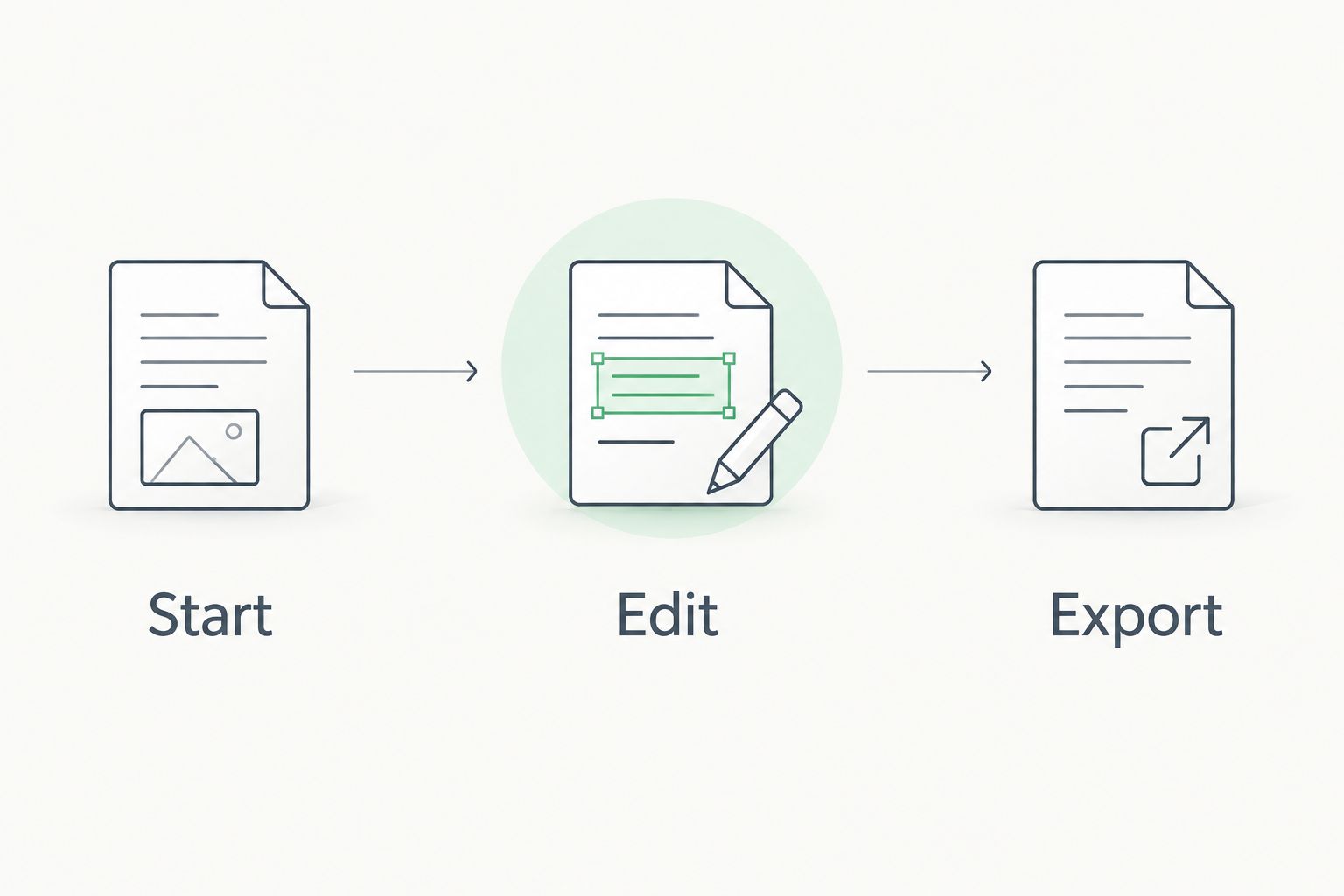
Complete 1 full workflow through the point where you could deliver the document. Stopping at a successful upload leaves the most important question unanswered: whether the result is usable.
Pricing: match the subscription to the finished task
In 2026, compare subscription terms against the work you expect to complete, not just access to the editor. Zendocs uses a web-based subscription model. For PDFRun, review the current billing and plan terms associated with your intended workflow before subscribing.
Read the terms that determine the commitment:
- Billing interval and renewal conditions.
- Which functions belong to the selected subscription.
- Whether your required export or signing task is included.
- Cancellation instructions and when cancellation takes effect.
A recurring subscription fits ongoing document processing better than an isolated need that never repeats. The tradeoff is commitment: access continues according to the subscription terms, while your document workload can change.
Do not infer billing terms from a successful edit or an account-creation screen. Check the terms before making the commitment. The relevant comparison is whether the subscription supports the whole task you intend to repeat.
Final verdict for 2026
Choose Zendocs if you manage mixed-format documents
Winner for the mixed-format operator: a freelancer, administrator, or business user whose work includes PDFs, office files, and images. Choose this route when conversion, editing, signing, and document management are parts of the recurring job.
The deciding advantage is the stated breadth of document processing. Confirm your exact conversion task and inspect the finished file before making it part of your routine.
Choose PDFRun if you start with a specific form
Winner for the form-first user: someone who finds the required document in PDFRun's catalog and needs to complete that form. Choose this route when finding and filling the correct document is the central task.
The deciding advantage is the starting template. Confirm its purpose, version, and acceptance requirements before using it.
| Dimension | Winner |
|---|---|
| Best for | Mixed files: Zendocs; catalog forms: PDFRun |
| Standout feature | Depends on whether you need processing or a starting form |
| Format conversion | Zendocs for its stated mixed-format scope |
| Form preparation | PDFRun when its catalog contains the required form |
| PDF editing | Tie on broad capability; test the actual document |
| Signing | Tie on broad capability; check recipient requirements |
| Repeat work | The option that completes your recurring workflow |
| Pricing model | No universal winner; match the commitment to usage |
FAQ
Is Zendocs better than PDFRun?
Zendocs is the better fit for mixed-format document processing; PDFRun is the better fit when you start with a suitable form from its catalog. Choose according to the source document and the finished result you need.
What's the main difference between Zendocs and PDFRun?
The main difference is the starting point: mixed-format document processing versus form-first PDF work. Zendocs explicitly covers PDF, Word, Excel, PowerPoint, and images, while PDFRun's form catalog provides a starting document for form completion.
Which should I choose for an application form?
Choose PDFRun when its catalog contains the correct application form and its workflow meets the recipient's requirements. If the recipient supplies a mandatory document, use that exact document rather than substituting a similar template.
Which option should I consider for Word and Excel documents?
Zendocs explicitly includes Word and Excel in its document-processing scope. Confirm the exact conversion direction you need and inspect the exported layout before adopting the workflow.
Can I sign documents with either option?
Both options support signing as part of their document workflows. Check that the recipient accepts the signature method; a signing feature does not establish that separate identity-verification or notarization requirements are satisfied.
How should I compare subscription costs?
Compare the current subscription terms against the complete task you need to finish. Review billing, renewal, included functions, export access, and cancellation before committing.
What's the best way to test an online PDF editor?
Complete a real task and inspect the exported file outside the editor. Preserve the original so you can check for missing content, changed layout, and errors before sending the document.
One last thing
Open the exported document before sending it. A correct-looking editing screen is not the deliverable; the file your recipient receives is. Check it in the application or viewing environment the recipient will use, and keep the original until the task is complete.


