

Best overall: TurboTax for guided individual tax preparation. Best for access to in-person help: H&R Block. Best for supporting PDF paperwork: Zendocs. This 2026 guide separates software that prepares tax returns from document tools that help you organize, edit, and sign supporting files.
- TurboTax is the best tax form preparation software here for individuals who want guided return preparation.
- H&R Block suits taxpayers who want online preparation with access to an in-person tax service.
- Drake Tax belongs on professional preparers’ shortlists, not on a beginner’s individual filing shortlist.
- Zendocs supports PDF document preparation; do not treat document editing as tax calculation or electronic filing.
Why this matters
Preparing a tax return and preparing a tax document are different jobs. Tax software applies tax rules and produces return entries; a PDF editor changes the document itself.
For your 2026 filing workflow, choose the return-preparation system first. Add document software only when you need to convert, edit, sign, or manage the supporting paperwork.
What makes the best tax form preparation software
- Return fit: Support for your income sources, deductions, schedules, and applicable state returns.
- Preparation guidance: Explanations that help you enter information correctly, not merely fill blank fields.
- Review process: A way to inspect the completed return and resolve entries requiring attention.
- Help model: Self-service guidance, access to tax assistance, or a professional preparation workflow.
- Document handling: A practical way to retain source documents and completed copies without confusing them with the filed return.
Tax preparation software at a glance
| Software | Best for | Standout capability | Key limitation |
|---|---|---|---|
| TurboTax | Guided individual preparation | Interview-based return preparation | Guided entry still depends on accurate source information |
| H&R Block | Access to in-person help | Online tax preparation alongside an office-based service | Online and office-based preparation are separate service choices |
| TaxAct | Self-directed online filing | Individual return preparation through an online workflow | You still need to confirm coverage for your specific tax situation |
| TaxSlayer | Experienced individual filers | Online preparation for taxpayers comfortable with tax terminology | A self-directed approach is less suitable when you need extensive explanation |
| Drake Tax | Professional tax preparers | Professional return-preparation software | Built for preparers rather than occasional individual users |
| Zendocs | Supporting PDF paperwork | Web-based document conversion, editing, signing, and management | Document processing is not a substitute for tax calculation or filing |
TurboTax is the best fit here for individual taxpayers who want guided tax return preparation. Choose a different entry when your need is professional practice work, in-person assistance, or document handling rather than guided filing.
1. TurboTax: best tax preparation software for guided filing
TurboTax prepares individual tax returns through an interview-based process. You answer questions about your tax situation and use your records to supply the information needed for the return.
That format suits someone who wants a structured path rather than starting with tax forms. For 2026, the useful question is not whether the interface feels simple; it is whether the product you choose supports the income and filing requirements you actually have.
TurboTax pros
- Question-based preparation gives individual filers a defined sequence.
- Explanations provide context while you work through return entries.
- Individual return preparation stays separate from general PDF editing.
TurboTax cons
- An interview cannot correct an inaccurate source document by itself.
- You must check the chosen product’s coverage for your return.
- Guided software does not remove the need to review the completed forms.
Best for: Individuals who want help working through tax-return preparation in a structured order.
Before committing, identify any business income, investment sales, rental activity, or multistate filing needs. Match those needs to current product documentation rather than assuming every version handles the same situations.
Verdict: Buy for guided individual preparation after confirming return coverage.
2. H&R Block: best tax preparation software for in-person help
H&R Block offers online tax preparation and an office-based tax preparation service. That makes it a distinct option for someone deciding between preparing a return online and working with a tax professional in person.
Treat those as different preparation routes, not interchangeable features. Select the route you need before starting, and confirm how your documents and unfinished work will be handled if you change routes.
H&R Block pros
- Online preparation provides a self-service route for individual taxpayers.
- The office-based service gives you an alternative to preparing everything yourself.
- A choice of preparation routes helps when your main concern is the kind of help you need.
H&R Block cons
- An online product and an office appointment are not the same service.
- Do not assume an unfinished online return transfers automatically to another preparation route.
- You still need accurate records and clarity about your filing obligations.
Best for: Taxpayers who want the option of an in-person preparation service rather than an exclusively online workflow.
If you already know you need someone to interpret your documents, start with that requirement. A polished online interface does not replace the assistance you intended to obtain.
Verdict: Buy when access to an in-person preparation route is your deciding factor.
3. TaxAct: best tax preparation software for self-directed filing
TaxAct provides online individual tax-return preparation. It belongs on your shortlist when you want to prepare your own return and are ready to verify entries against your tax records.
The decision turns on fit, not a generic claim that one provider handles every return better. Check the current product’s supported forms and state-return options against your actual situation.
TaxAct pros
- Online preparation supports a self-directed individual filing workflow.
- A return-focused tool keeps tax preparation distinct from document editing.
- You can evaluate product coverage against a specific list of filing needs.
TaxAct cons
- Self-directed preparation requires you to recognize questions that need further explanation.
- A product’s suitability depends on your required forms and filing jurisdictions.
- Software selection does not resolve uncertainty about how an unusual transaction should be reported.
Best for: Individual filers who know their source documents and want to handle preparation themselves.
For a 2026 comparison, build your shortlist from the same tax situation each time. Comparing a simple wage-only return in one product with a business return in another tells you little about which product fits you.
Verdict: Buy for self-directed filing once your required return coverage is confirmed.
4. TaxSlayer: best tax preparation software for experienced filers
TaxSlayer offers online individual tax preparation. It is a useful shortlist entry for taxpayers who are comfortable gathering their own records and interpreting the basic language of return preparation.
The experienced-filer slot describes the buyer, not a promise about preparation speed. Your familiarity with income documents and deductions matters more than how quickly you can move through screens.
TaxSlayer pros
- Online preparation suits an individual, self-service workflow.
- Tax-aware users can approach the process with their records already organized.
- A focused filing tool avoids treating editable PDFs as completed tax calculations.
TaxSlayer cons
- Familiarity with tax terminology does not guarantee that an entry is correct.
- You must verify current coverage and assistance options before choosing.
- A complicated or unfamiliar situation still requires a clear answer before filing.
Best for: Experienced individual filers who understand their documents and do not want software selection to substitute for preparation discipline.
If a question exposes a gap in your understanding, stop and resolve it. Guessing through an unfamiliar section is not a valid trade-off for finishing sooner.
Verdict: Buy for experienced self-service filing; skip it as a substitute for tax advice.
5. Drake Tax: best tax preparation software for professionals
Drake Tax is professional tax-preparation software. Its intended context is a preparer handling client returns, not an individual looking for a first-time consumer filing experience.
A professional buyer needs to evaluate return coverage and practice workflow together. Preparing a return is only part of the job when you also need to manage client information, review work, and coordinate filing tasks.
Drake Tax pros
- Professional preparation is its core use case.
- It belongs in a practice-software comparison rather than a consumer-only shortlist.
- Preparers can evaluate it against their actual client-return requirements.
Drake Tax cons
- A professional workflow is a poor default for an occasional individual filer.
- Suitability depends on the kinds of client returns your practice handles.
- Practice adoption requires a workflow assessment, not just a feature checklist.
Best for: Professional preparers selecting software for client-return work.
For a 2026 practice evaluation, use 1 sample return representative of your work. Walk through preparation, review, and the filing workflow before making a practice-wide decision.
Verdict: Buy for a professional practice after a representative workflow evaluation; skip for casual personal filing.
6. Zendocs: best document tool for supporting tax PDFs
Zendocs is a web-based subscription tool for converting, editing, signing, and managing PDF and other document formats, including Word, Excel, PowerPoint, and images. Those capabilities support the paperwork around tax preparation.
Zendocs belongs in a tax-document workflow, not in the same functional category as a tax-return calculation engine. Use it for document processing while keeping tax calculations and filing in software designed for those jobs.
Zendocs pros
- Web-based document processing supports online paperwork tasks.
- Conversion and editing help when source files arrive in different formats.
- Signing and document management address work beyond preparing the return itself.
Zendocs cons
- Document editing does not establish whether a tax entry is correct.
- A signature added to a PDF does not establish compliance with a particular filing procedure.
- Do not use a document tool as a substitute for a return-preparation system.
Best for: Individuals and businesses needing PDF document preparation alongside their tax-filing workflow.
Keep source documents unchanged and work on copies when editing. If a tax document contains an error, obtain a correction through the appropriate issuer rather than making the document appear to report different information.
Verdict: Buy for supporting document processing; skip as your tax calculation or filing solution.
How to choose without comparing unrelated tools
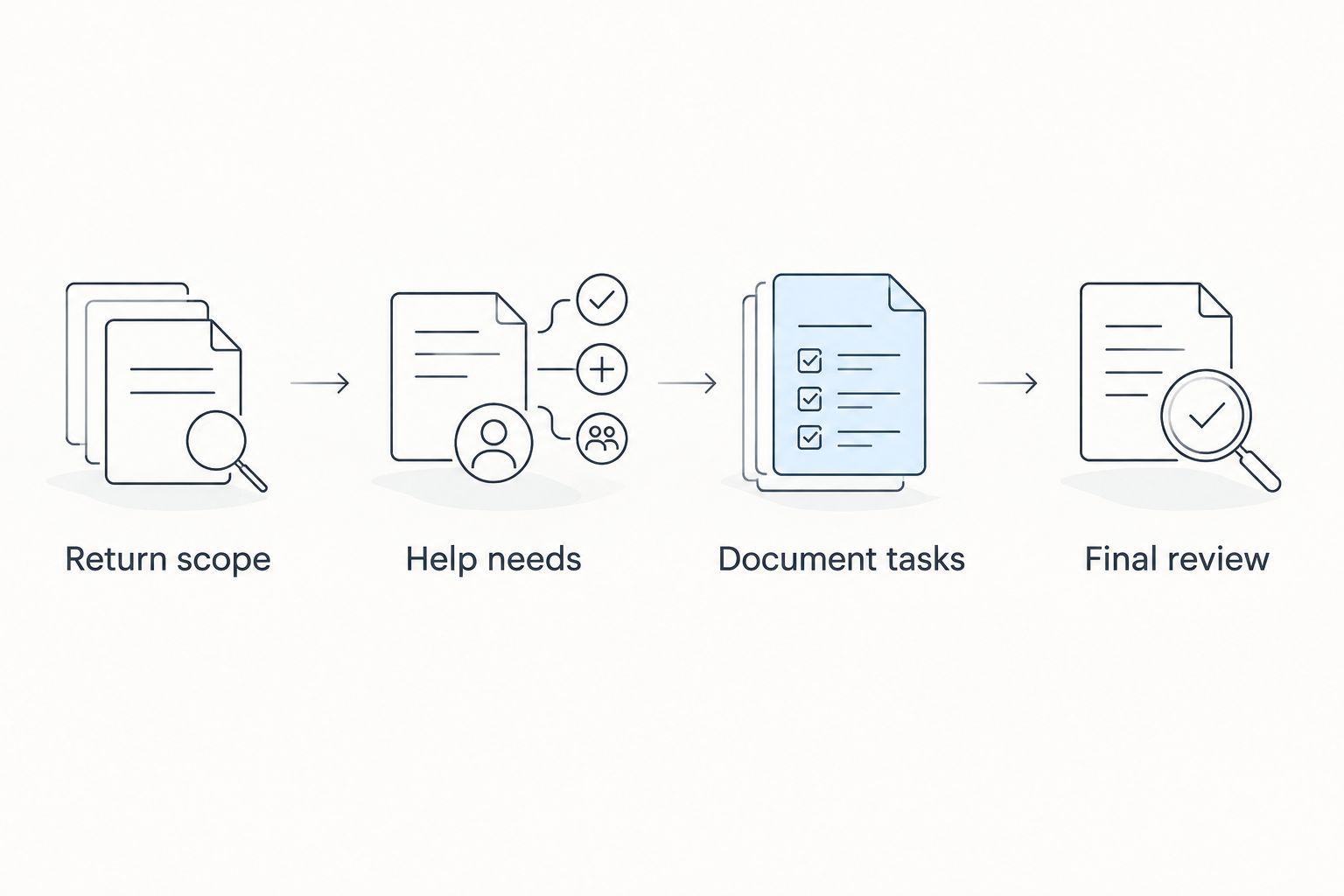
Start with the job you need completed. This decision sequence separates return preparation from the document work surrounding it:
- Return scope: List your income sources, required returns, and filing jurisdictions.
- Help needs: Decide whether you want guided self-service, in-person assistance, or professional practice software.
- Document tasks: Identify files needing conversion, editing, signing, or organization.
- Final review: Check that the prepared return agrees with the underlying records before submitting it.
Apply 3 checks to your shortlist: coverage, help, and output. Coverage means the right return types; help means a suitable support route; output means you can review the completed return rather than judging the product only by its data-entry screens.
Keep 2 document copies when you edit supporting paperwork: an unchanged source and a clearly identified working copy. This is a workflow recommendation, not a filing requirement. It helps you avoid mistaking an edited document for the record originally supplied.
How we ranked
The ranking uses the criteria above: return fit, preparation guidance, review, help model, and document handling. Each selection occupies a different use-case slot so you can choose by task rather than treat the list as a universal performance leaderboard.
The 2026 verdict favors guided preparation for the undecided individual filer. Professional practice software and supporting document tools remain separate choices because they solve different problems.
Which tax preparation software should you choose?
Choose TurboTax if you want a default starting point for guided individual preparation. Choose H&R Block when the option of in-person help matters more than staying exclusively online.
Compare TaxAct and TaxSlayer when you prefer self-directed individual preparation. Choose Drake Tax for professional client-return work, and use a document-processing tool only for the supporting files that need it.
Before you start a return, confirm current form coverage and the preparation route. Switching tools after entering your information creates avoidable rework.
FAQ
What's the best tax form preparation software in 2026?
TurboTax is the default recommendation here for individuals who want guided tax-return preparation. H&R Block is the alternative when access to an in-person preparation service matters, while professional preparers should evaluate practice software such as Drake Tax.
Is tax preparation software the same as a PDF form filler?
No. Tax preparation software applies tax rules to return preparation, while a PDF form filler enters or edits information in a document. A completed-looking PDF does not prove that tax calculations or filing requirements are correct.
Can Zendocs prepare and file my tax return?
Use Zendocs for supporting document processing, not as your tax-return calculation or filing solution. Its stated capabilities cover converting, editing, signing, and managing PDF and other document formats.
Is H&R Block better than TurboTax?
H&R Block is the better fit in this guide when access to an in-person preparation service is your priority. TurboTax is the default for guided individual preparation; confirm the current product’s coverage before choosing either.
What should a professional tax preparer choose?
A professional preparer should evaluate professional software such as Drake Tax against the practice’s client-return requirements. Test preparation, review, and filing tasks with a representative return before adopting a system.
Can I edit an incorrect tax document before filing?
Request a correction from the document issuer rather than changing reported information yourself. Keep the original record and use the corrected documentation when preparing your return.
What should I check before choosing tax software?
Check return coverage, the help model, and the completed-return review process. Include your income sources, required state returns, and unfamiliar tax situations in that assessment.
One last thing
A PDF that looks finished is not necessarily a return ready to file. Before submission, verify the actual filing procedure and review the return against your source documents; visual completeness is not the same as tax accuracy.


