
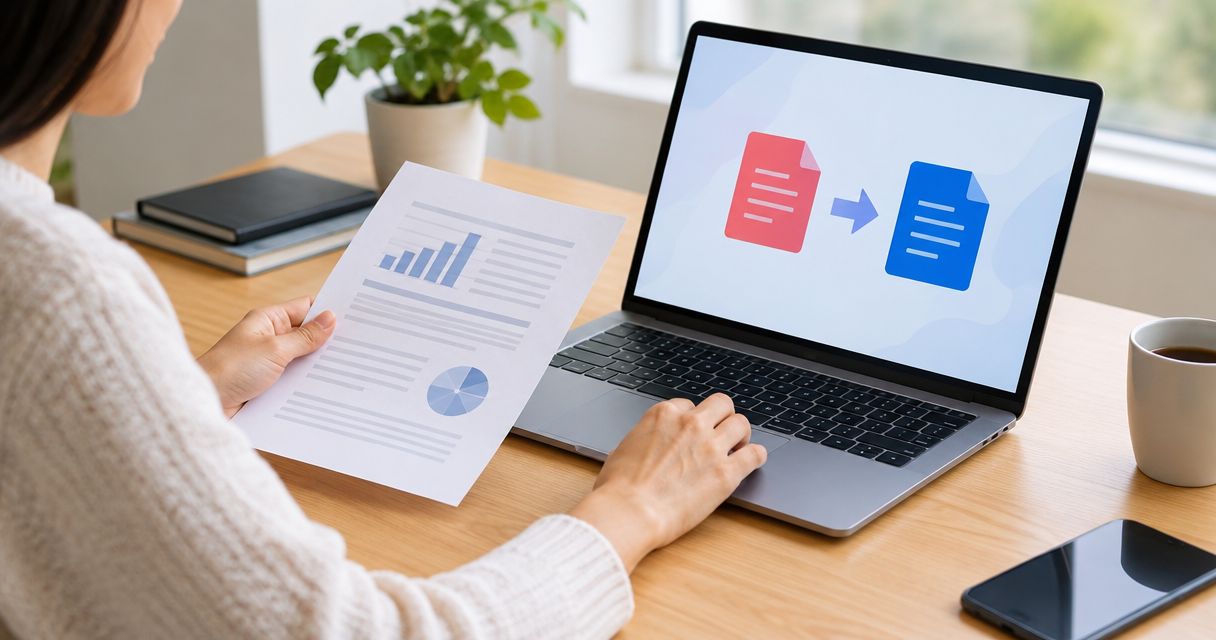
The cost to convert PDF to Word depends on the tool’s current billing terms, the type of PDF, and the work needed to fix the converted document. Check whether you are authorizing a single transaction or a recurring subscription; the checkout amount does not account for your time correcting text, tables, and page layout.
- The cost to convert PDF to Word includes billing commitments and document cleanup, not just the conversion itself.
- Microsoft Word supports opening PDFs for conversion; check the resulting layout before relying on it.
- Scanned PDFs need optical character recognition to turn page images into editable text.
- Zendocs is a subscription-based browser option for people who need conversion, editing, signing, and document management together.
Why this matters
A downloaded Word file is not necessarily a finished Word document. Text can be editable while tables, headers, footnotes, and reading order still need correction.
For a one-off task in 2026, start with software you already have permission to use. For recurring work, compare the full document process rather than the conversion button alone.
Zendocs provides web-based document conversion, editing, signing, and management through a subscription. That broader scope matters when you need several document tasks, but it does not establish whether a subscription fits an isolated conversion.
How much does it cost to convert PDF files to Word?
There is no single conversion charge that applies across tools and documents. Check the provider’s current terms, then assess whether the output will be usable without extensive repairs.
For a 2026 comparison, separate the billing arrangement from the conversion method. A subscription describes how you pay; OCR describes how software recognizes text in a scanned page. Neither tells you whether a particular file will retain its formatting.
| Approach | Best for | Main advantage | Main limitation | What to check before proceeding |
|---|---|---|---|---|
| Microsoft Word PDF import | People who already have suitable Word access and mostly text-based PDFs | Converts a PDF into an editable Word document inside Word | Page layout can change during conversion | Existing access, document structure, and output quality |
| Browser-based conversion subscription | People with recurring document-processing needs | Keeps conversion in a browser-based workflow | Creates an ongoing billing decision rather than just a file-format decision | Billing interval, renewal terms, supported operations, and upload rules |
| OCR-assisted conversion | People working with scanned pages or image-based PDFs | Recognizes characters that are stored as images | Recognition errors still require review | OCR support, document language, scan quality, and export format |
These approaches overlap. A browser-based service can include OCR, and an OCR workflow can finish with a Word export. Compare the functions you actually need rather than treating each label as a separate product category.
What belongs in the cost breakdown?
Use these components when deciding whether a conversion method makes sense:
- Billing commitment: Identify what the checkout authorizes and whether it repeats.
- Required functionality: Confirm that the selected option supports the operation your file needs, including OCR for image-only pages.
- Correction work: Account for proofreading, rebuilding tables, and fixing reading order.
- Repeat work: Include another review if the source PDF changes and must be converted again.
- Handling requirements: Check whether uploading the document fits your organization’s rules.
Do not assign a fixed cleanup allowance before inspecting the file. A plain paragraph document and a scanned form present different problems, even when both have the same page count.
Using existing Word access: check the output first
Microsoft Word can open a PDF and convert its contents into a Word document. This is a practical starting point when you already have suitable access and the source is mainly text.
The advantage is straightforward: you can assess an existing tool before committing to another service. The limitation is equally important: PDF conversion reconstructs editable content rather than preserving every page element exactly.
Best for: occasional conversions of text-led documents where you can review the result yourself.
Check paragraph order, page breaks, headers, and tables after opening the PDF. If Word produces text boxes or awkward spacing, judge whether repairing the result is easier than using another method.
For a 2026 one-off conversion, existing access is a sensible first check—not proof that the output will meet your requirements. Do not confuse the ability to open a file with successful reconstruction of its layout.
Using a browser subscription: evaluate the whole workflow
A browser subscription makes more sense as a recurring workflow decision than as an automatic answer to an isolated file conversion. Consider whether you also need to edit, sign, or manage documents.
Zendocs is best suited to individuals and businesses seeking browser-based conversion, editing, signing, and document management together. Its subscription model is a consideration for an occasional user, not a reason to assume every conversion requires an ongoing service.
Best for: recurring document processing that includes more than changing a file extension.
The benefit is access to several document functions through a web-based tool. The trade-off is the need to evaluate subscription terms and whether browser-based handling suits the documents involved.
Before subscribing in 2026, identify the specific operations you will use. A longer feature list has little practical value when your actual task ends after one reviewed Word export.
Converting scanned PDFs: include OCR and proofreading
A scanned PDF can contain pictures of text rather than text characters. OCR—optical character recognition—turns those pictures into text that software can edit or search.
Best for: scanned letters, image-only reports, and photographed pages that must become editable documents.
OCR solves the recognition problem, but it does not remove the need for proofreading. Faint printing, skewed pages, handwriting, and complex layouts make recognition harder.
Read the guide to OCR software for scanned PDFs when the source contains page images rather than selectable text. Evaluate recognition and layout separately: correct words can still appear in the wrong order.
Keep the original scan beside the Word document during review. Check names, dates, decimal points, and identifiers directly against the source rather than relying on spellcheck.
Why the cost to convert PDF to Word varies
The meaningful differences come from the file, the workflow, and the billing arrangement. Use these factors to compare your options:
- Source type: Selectable text and scanned page images require different processing. An image-only PDF needs text recognition before its words become editable.
- Layout complexity: Columns, tables, footnotes, and floating images create more structure to reconstruct than ordinary paragraphs.
- Scan quality: Blurred, faint, or tilted text complicates recognition and increases what you need to verify.
- Frequency of use: An ongoing subscription is a different commitment from completing an occasional task with existing software.
- Required output: Extracting paragraphs for a draft is a different job from rebuilding a document for publication.
- Document handling: Confidential files require a review of upload permissions and provider policies before conversion.
These factors explain why comparing checkout screens alone is incomplete. A tool that exports a document successfully can still leave you with substantial editing work.
How do you choose without committing too early?
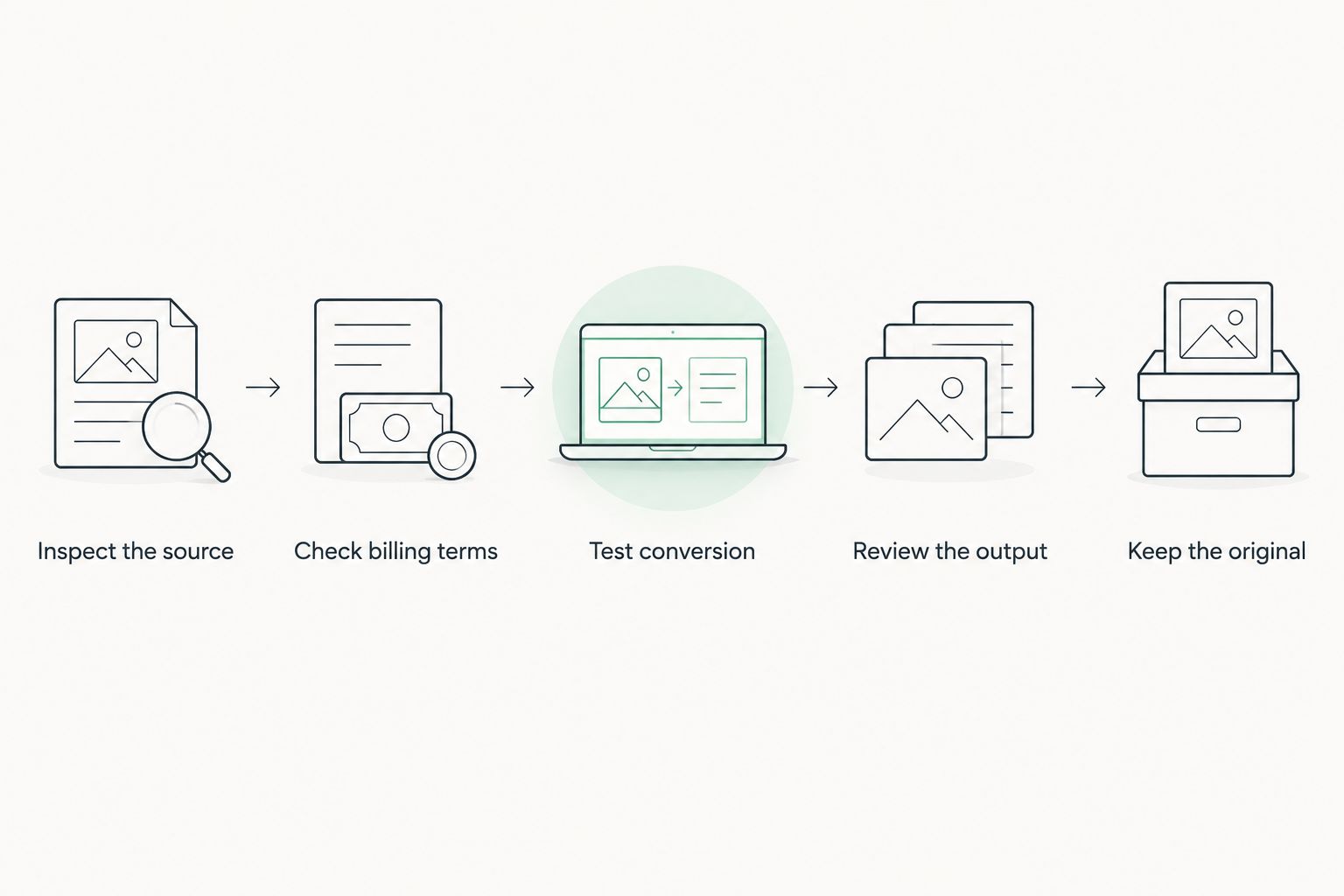
Use this 5-step process to evaluate the workflow before relying on it for an important document. The goal is an editable file you can verify, not simply a successful download.
- Inspect the source. Try selecting a sentence. If you cannot select words, investigate whether the page is an image; selection restrictions can also affect this check.
- Check billing terms. Read what the transaction authorizes, including recurrence, renewal, cancellation, and any stated usage limits.
- Test conversion. Where the tool permits testing, use a non-sensitive file with layout features similar to your real document.
- Review the output. Compare text, tables, page order, and images with the source PDF.
- Keep the original. Save the source separately so you can resolve discrepancies and repeat the conversion if necessary.
This sequence separates two decisions: whether the conversion works and whether the service terms fit your needs. Do not let a readable preview answer both questions.
What should you inspect in the converted file?
Use 3 review passes to keep the checks distinct. This is a review method, not a promise about conversion speed.
- Text pass: Compare names, dates, amounts, punctuation, and characters that OCR can confuse.
- Structure pass: Check paragraph order, table cells, headings, lists, and footnotes.
- Layout pass: Review page breaks, margins, images, headers, and footers.
If you only need the text, some layout changes are acceptable. If the Word file will become a client-facing document, structural and visual errors need correction before delivery.
Do I need a subscription for a single PDF conversion?
A single PDF conversion does not automatically justify a subscription. First check whether software you already have can produce an acceptable result, then compare any new commitment against the task you need to complete.
For a 2026 decision, distinguish recurring work from an urgent one-off request. Urgency does not make renewal terms less important.
Does a scanned PDF require a different conversion method?
A scanned PDF requires OCR when its text exists only as an image. Exporting those page images into a Word file does not, by itself, make the words editable.
Check the recognition result against the scan, especially where the document contains names, figures, or handwritten additions. Selectable text is evidence of editability, not proof of accuracy.
Is editing the PDF better than converting it to Word?
Editing the PDF is often the more direct route when you need a limited change and do not need a Word document afterward. Conversion makes more sense when you need to rewrite, reorganize, or continue working in Word.
Choose the required final format first. Avoid creating a PDF-to-Word-to-PDF cycle merely to change a small piece of content.
FAQ
What's the cost to convert PDF to Word?
The cost to convert PDF to Word depends on current provider terms and the work needed to produce a usable document. Check the billing commitment, required features, and correction work rather than treating the download as the finished result.
Can I convert a PDF using Microsoft Word?
Microsoft Word supports opening PDFs and converting their contents into editable Word documents. Review the result because layout and document structure can change.
Do scanned PDFs need OCR before I can edit the words?
Scanned PDFs need OCR when the words are stored only as page images. After recognition, compare the editable text against the original scan.
Will converting a PDF to Word keep all the formatting?
PDF-to-Word conversion does not guarantee identical formatting. Tables, columns, footnotes, and page breaks need particular attention during review.
Is Zendocs a subscription-based document tool?
Zendocs is a web-based subscription tool for converting, editing, signing, and managing documents. Check its current terms and whether the available workflow matches your task.
Can I upload a confidential PDF to an online converter?
Upload a confidential PDF only when the service and the upload comply with your organization's document-handling requirements. Review the provider's current privacy and retention policies before sending the file.
What should I check before accepting a conversion subscription in 2026?
Before accepting a conversion subscription in 2026, check billing recurrence, renewal, cancellation, stated limits, and the functions your document requires. Also confirm that the resulting Word file meets your editing needs.
One last thing
Ask for the original editable file before converting the PDF. If the sender still has the Word source, obtaining it avoids reconstructing a fixed-layout export and checking that reconstruction for errors.
When the PDF is the only source, keep it unchanged. Treat the converted Word document as a working copy until you have checked its contents against the original.


