

TemplateRoller is useful when you need to find a document template rather than create one from scratch. Its template-first approach stops being enough when your main task becomes editing, converting, signing, or managing documents you already have. The best TemplateRoller alternative in 2026 is Zendocs for online document processing; Google Docs is the better fit for collaborative document drafting.
- Among templateroller alternatives, Zendocs fits online PDF editing, document conversion, signing, and management.
- Adobe Acrobat fits PDF-centered work rather than template discovery.
- Google Docs fits collaborative drafting; Jotform fits collecting information through online forms.
- Keep TemplateRoller when finding a suitable template is still your main task.
Why this matters
A template library, a PDF editor, and an online form builder solve different problems. Searching for TemplateRoller alternatives without separating those jobs produces a shortlist of tools that are not interchangeable.
Start with the document you need to finish. If you already have the file, template selection is no longer the central problem; editing, conversion, signatures, or organization is.
For your 2026 shortlist, distinguish between preparing a document and collecting information from other people. A downloadable form serves the first task, while a submission-based form builder serves the second. Neither automatically replaces the other.
TemplateRoller alternatives at a glance
| Option | Best for | Standout capability | How it differs from TemplateRoller | Main trade-off |
|---|---|---|---|---|
| TemplateRoller | Finding document templates | Template discovery and fillable documents | Baseline: starts with choosing a template | Template discovery is not the same job as broader document processing |
| Zendocs | Processing existing documents online | Converting, editing, signing, and managing documents | Starts with work on your files rather than template selection | A web-based subscription is not an offline-only workflow |
| Adobe Acrobat | PDF-centered editing and review | PDF editing, conversion, and commenting | Centers on working with PDFs | More application functionality than a simple template search requires |
| Google Docs | Collaborative document drafting | Shared editing and comments | Starts with editable text rather than a finished PDF form | Not a direct replacement for editing an existing PDF layout |
| Jotform | Collecting information through online forms | Form building and submission collection | Starts with a respondent completing an online form | Requires form setup rather than simply choosing a document |
Choose by the work you need to complete, not by how many templates a service lists. An extensive catalog does not settle whether a tool can handle your existing document workflow.
A quick way to narrow the list
Use these task labels to separate the options:
- Template discovery: You need a starting document.
- Document processing: You have a file to edit, convert, sign, or manage.
- Collaborative drafting: You need people to write and revise together.
- Information collection: You need respondents to submit answers.
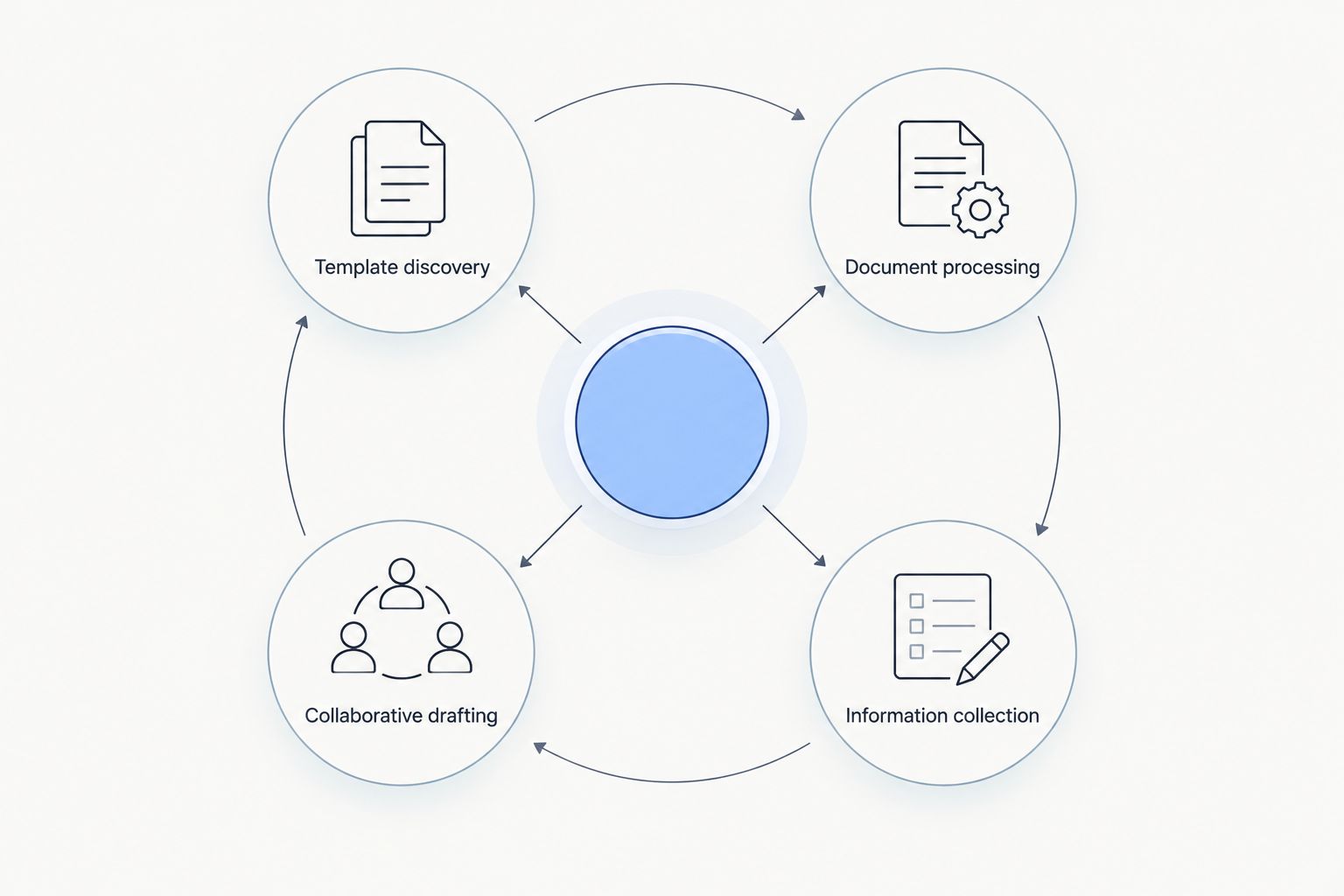
A single project can involve several tasks. Drafting an agreement, collecting its supporting information, and preparing its final PDF are separate steps; you do not need to force them into the same application.
1. Zendocs: best for online document processing
Zendocs is a web-based subscription tool for converting, editing, signing, and managing PDF and other document formats, including Word, Excel, PowerPoint, and images. Its fit is clearest when you already have documents and need to work on them online. That is a different starting point from browsing for a template.
Best for: Individuals and businesses needing online document processing across PDF and other document formats.
Where it shines
- Covers conversion, editing, signing, and document management within its stated scope.
- Addresses work on existing files rather than requiring template discovery as the starting step.
- Supports a broader document-format scope than a PDF-only task description.
Where it falls short
- The subscription model creates an ongoing commitment, so recurring document work is a stronger fit than an isolated task.
- Its web-based delivery is the wrong choice for an offline-only workflow.
- Document processing does not replace selecting the correct underlying form or deciding what its contents should say.
| Dimension | Zendocs | TemplateRoller |
|---|---|---|
| Starting task | Process documents online | Find and use a document template |
| Main emphasis | Conversion, editing, signing, management | Template discovery and completion |
| Selection question | What work must you perform on the file? | Which template matches your need? |
For your 2026 evaluation, use your own documents rather than judging from a feature list. Check whether the output preserves the content and layout that matter to the recipient, and whether the workflow covers the steps you repeat.
Verdict: Buy only if recurring online document processing is your main requirement; hold if you only need a template.
2. Adobe Acrobat: best for PDF-centered work
Adobe Acrobat is a PDF application with editing, conversion, commenting, and signing capabilities. It belongs on your shortlist when the PDF itself is the working document, not merely the final export. The distinction matters when you receive finished PDFs that need changes or review.
Best for: People whose document work centers on existing PDFs and PDF review.
Where Adobe Acrobat shines
- Provides tools for working directly with PDF documents.
- Supports comments and review without turning every document into a new text draft.
- Offers desktop applications for workflows that involve locally stored files.
Where Adobe Acrobat falls short
- It does not remove the need to source an appropriate template.
- Its wider PDF toolset adds functionality you do not need for a straightforward template download.
- PDF editing remains different from collaboratively drafting a document from the beginning.
| Dimension | Adobe Acrobat | TemplateRoller |
|---|---|---|
| Starting task | Work with an existing PDF | Find a starting template |
| Review emphasis | PDF comments and review tools | Choosing and completing a document |
| Best output question | Is the finished PDF correct? | Is this the right template? |
Test direct editing on the kinds of files you receive. A digitally generated PDF and a scanned document present different editing problems; do not treat success with one as proof that the other follows the same process.
Adobe Acrobat is the stronger candidate when PDF work is your recurring task. It is unnecessary to replace a working template source simply because another application has a larger editing toolset.
Verdict: Buy for recurring PDF work; skip as a replacement for template discovery alone.
3. Google Docs: best for collaborative drafting
Google Docs is a browser-based word processor with shared editing, comments, and version history. Choose it when the document is still being written and several people need to contribute. It is not a direct substitute for modifying the layout of an existing PDF.
Best for: Teams drafting and revising text documents together.
Where Google Docs shines
- Lets collaborators work on the same document instead of exchanging separate drafts.
- Supports comments and suggested edits during review.
- Provides version history for inspecting earlier document revisions.
Where Google Docs falls short
- It is not a dedicated PDF-layout editor.
- Importing or exporting a document requires checking the resulting formatting.
- Collaborative drafting does not establish that a form meets the receiving organization's requirements.
| Dimension | Google Docs | TemplateRoller |
|---|---|---|
| Starting point | Editable text document | Selected document template |
| Collaboration | Shared drafting, comments, suggestions | Template-centered document preparation |
| Best use | Write and revise content | Find an appropriate starting form |
In 2026, keep drafting and final-file preparation separate in your decision. Google Docs fits the stage where wording changes frequently; inspect the exported file before treating it as ready for submission.
Choose Google Docs because collaborators need to write together, not because you expect every PDF to become a clean editable draft. That expectation confuses text authoring with PDF processing.
Verdict: Buy into the workflow for shared drafting; skip for direct PDF-layout editing.
4. Jotform: best for collecting information online
Jotform is an online form builder that collects submissions from respondents. It is relevant when your actual problem is gathering information, not supplying someone with a document to download. That changes both the setup work and the respondent's experience.
Best for: Businesses collecting structured information through online forms.
Where Jotform shines
- Lets you build fields around the information you need to collect.
- Collects responses as submissions rather than relying on separately returned documents.
- Supports conditional form logic for changing which questions respondents see.
Where Jotform falls short
- Building and checking a form creates setup work before you collect responses.
- An online submission is not automatically a replacement for a prescribed document.
- It is not the right category of tool when you only need to edit an existing PDF.
| Dimension | Jotform | TemplateRoller |
|---|---|---|
| Starting task | Build a respondent-facing form | Select a document template |
| Information flow | Collect online submissions | Prepare and complete a document |
| Setup decision | Which fields should people answer? | Which document should people use? |
Check the receiving process before changing formats. If an organization requires its own document, gathering the same information through a custom form does not settle whether that submission is acceptable.
Verdict: Buy for repeatable information collection; skip when the required deliverable is an unchanged prescribed form.
Why people switch from TemplateRoller
The useful reason to switch is a change in the task, not a general claim that TemplateRoller is worse. A template-first service and a document-processing tool serve different stages of the work.
Use these specific requirements to decide whether an alternative belongs in your workflow:
- You already have the file. Editing or converting that document matters more than finding another template.
- You need shared drafting. Several contributors need to revise wording before you finalize the document.
- You need PDF review. Comments and changes belong on the existing PDF.
- You need structured responses. Respondents should submit answers through an online form rather than return separate files.
These are selection criteria, not reasons to abandon a useful template source. You can keep TemplateRoller for discovery and use a different application for later document work.
For editing-specific comparisons, the online PDF editors guide addresses the processing stage rather than template selection.
How to evaluate your shortlist in 2026
Use a small, repeatable trial rather than comparing unrelated demonstrations. Select 3 sample documents: a text-heavy file, a table-heavy file, and a form representative of your real work. This is a suggested evaluation set, not a performance benchmark.
Run 4 checks on each candidate:
- Content: Confirm that text, values, and required fields survive the workflow.
- Layout: Inspect tables, page breaks, alignment, and signature placement.
- Delivery: Open the finished file in the environment your recipient uses.
- Handling: Review how your organization permits documents to be uploaded, shared, retained, and removed.
Keep 2 file versions during evaluation: the untouched original and the processed output. Comparing them makes unintended changes easier to identify and preserves a clean starting point.
Do not upload sensitive test material merely to explore an interface. Use representative documents without confidential information until the tool and workflow meet your handling requirements.
Evaluate your document workflow
Compare your editing, conversion, signing, and management needs with the tool's stated scope.
When staying with TemplateRoller is the right call
Keep TemplateRoller when your main need is finding and completing a suitable template. Switching to a PDF editor or form builder does not make template discovery disappear.
A broader tool is unnecessary if it adds steps without solving a recurring problem. Keep the distinction clear: the template determines the starting content, while your processing application determines what you do with the file afterward.
For any official submission, check the required form against the receiving authority's instructions. A convenient template is a starting point, not proof that the document is current or acceptable.
FAQ
What's the best TemplateRoller alternative in 2026?
Zendocs is the best fit for online document processing when you need conversion, editing, signing, and management. Google Docs fits collaborative drafting, Adobe Acrobat fits PDF-centered work, and Jotform fits online information collection.
Is a PDF editor better than TemplateRoller?
A PDF editor is better for working on an existing PDF, while TemplateRoller fits finding a starting template. Choose based on whether you need a document or need to change one you already have.
Can Google Docs replace TemplateRoller?
Google Docs can replace the drafting stage when you need shared writing and revision. It does not replace a template catalog or dedicated editing of an existing PDF layout.
Should I choose Jotform or a downloadable form?
Choose Jotform when you need respondents to submit structured information online. Use the prescribed document when the receiving organization requires that specific form.
What should I check before switching document tools?
Check content, layout, delivery, and document handling using representative files. Preserve an untouched original so you can compare it with the processed output.
Does signing a PDF make it ready for submission?
Signing a PDF does not by itself make the document ready for submission. Check required fields, signer requirements, and the receiving organization's instructions.
Do I need to stop using TemplateRoller completely?
No, you can keep TemplateRoller for template discovery and use another application for document processing. Replace only the stage that no longer meets your needs.
One last thing
A successful edit is not the same as a successful submission. Before changing tools, identify who receives the final document and what they require; that answer can eliminate unsuitable workflows faster than another feature comparison.
Choose the required output first, then choose the tool that produces it.


