

US Legal Forms is a legal-form source for people who need a starting document, rather than just a blank editor. When you already have the right form, choosing a template source is a different decision from choosing software to convert, edit, sign, and manage it. The best US Legal Forms alternative in 2026 is Zendocs if you need online document processing; Rocket Lawyer if you need legal-document preparation with access to legal help.
- For uslegalforms alternatives, Zendocs fits PDF editing, conversion, signing, and document management rather than legal-template selection.
- Rocket Lawyer fits legal-document preparation; Adobe Acrobat fits PDF work; Docusign fits electronic-signature workflows.
- Stay with US Legal Forms when finding the appropriate legal form is your main requirement.
- Choose the legal document first, then evaluate the software that processes it.
Why this matters
A search for uslegalforms alternatives combines different jobs: finding a legal document, changing a file, and collecting a signature. Those jobs overlap, but they are not interchangeable. A document editor does not determine whether a lease contains the right provisions for your situation.
Start with the point where your work gets stuck. If you cannot identify the right agreement, investigate legal-document sources or obtain legal advice. If you have an approved agreement but cannot edit or convert it conveniently, investigate document-processing software.
Replacing the file-processing tool does not replace legal review. That distinction matters more than the length of a feature list, especially when a document affects rights, obligations, or a filing deadline.
For a closer look at the editing side of the decision, compare PDF form filler software. Keep form selection and form completion as separate requirements when you evaluate the options below.
US Legal Forms alternatives at a glance
This 2026 comparison separates each option by its main purpose. It is a shortlist for different needs, not a claim that every product replaces every part of US Legal Forms.
| Option | Best for | Standout focus | How it differs from US Legal Forms |
|---|---|---|---|
| US Legal Forms | Finding legal forms | Legal-form selection | The benchmark when the missing piece is the document itself |
| Zendocs | Processing documents online | Converting, editing, signing, and managing documents | Focuses on working with documents rather than selecting legal language |
| Rocket Lawyer | Preparing legal documents with legal-help needs | Legal documents and access to legal assistance | Fits a decision that includes questions about the agreement |
| Adobe Acrobat | PDF-centered work | PDF editing and conversion | Centers the file format rather than the legal-form category |
| Docusign | Electronic-signature workflows | Sending documents for signature | Centers the signing process rather than sourcing the agreement |
Do not compare these options solely by whether they mention signatures or documents. Compare the work you need completed: selecting content, changing the file, or obtaining a signed result.
1. Zendocs: best for online document processing
This web-based subscription tool converts, edits, signs, and manages PDF and other document formats, including Word, Excel, PowerPoint, and images. It fits individuals and businesses that need to process documents online. Choose this category when you already have the document and need to work with the file.
Zendocs is best for online document processing when the legal document has already been selected. That is the strongest reason to put it first on this shortlist: it answers the operational need without confusing file editing with legal-document preparation.
Where it shines
- Combines conversion, editing, signing, and document management in its stated offering.
- Covers PDF alongside Word, Excel, PowerPoint, and image formats.
- Fits online processing needs for both individuals and businesses.
Where it falls short
- Document-processing capabilities do not establish that your chosen agreement is legally appropriate.
- A subscription document tool is a different purchase from obtaining advice about a legal issue.
- You still need to select the correct source document before evaluating the quality of the output.
These limits matter. If your real question is which clauses belong in an agreement, changing editors does not answer it. If your question is how to work with an existing agreement online, the document-processing category matches the task.
Head-to-head with US Legal Forms
| Dimension | Zendocs | US Legal Forms |
|---|---|---|
| Primary decision | How to process an existing document | Which legal form to use |
| Stated document scope | PDF, Word, Excel, PowerPoint, and images | Legal forms |
| Best starting point | You already have source content | You need a form as your starting point |
Before choosing, use 1 representative document from your own work. Make it a non-sensitive sample with the same tables, signature spaces, or formatting as the real file. Check the finished output, not just the editing screen.
Best for: Individuals and businesses with existing documents that need online conversion, editing, signing, or management.
Verdict: Buy for document processing; hold if your first need is legal-document selection.
2. Rocket Lawyer: best for legal-document preparation
Rocket Lawyer belongs on this shortlist when the document's legal content is part of the problem. Its offering includes legal-document preparation and access to legal assistance. That makes it a different category of alternative from a general PDF editor.
Choose this route when you need help getting from a legal task to a suitable document. Do not choose it merely because an existing PDF needs a format change; keep the purchase aligned with the actual work.
Where Rocket Lawyer shines
- Connects legal-document preparation with legal-help options.
- Fits readers who need a starting agreement rather than just a file editor.
- Keeps the focus on the legal task behind the document.
Where Rocket Lawyer falls short
- A legal-document service is not the same requirement as a general document-conversion tool.
- Preparing a document does not remove the need to check that it fits your facts and jurisdiction.
- If your agreement is already approved, legal-document preparation can be outside the task you need to complete.
Head-to-head with US Legal Forms
| Dimension | Rocket Lawyer | US Legal Forms |
|---|---|---|
| Main focus | Legal documents and legal assistance | Legal forms |
| Best starting need | Preparing a document with legal questions | Finding a form |
| Evaluation priority | Document fit and the scope of legal help | Form fit and suitability |
For your 2026 shortlist, describe the question you want answered before comparing services. There is a material difference between needing an agreement and needing someone to assess a clause in an agreement.
Best for: People whose document task includes legal preparation or questions requiring legal help.
Verdict: Buy for legal-document preparation; skip for a file-conversion-only task.
3. Adobe Acrobat: best for PDF-centered work
Adobe Acrobat is a PDF-focused alternative, not a like-for-like legal-form source. Its established role includes PDF editing and conversion. It belongs on your shortlist when the document already exists and the file is the obstacle.
Where Adobe Acrobat shines
- Centers PDF editing and conversion.
- Fits a workflow in which the source agreement has already been chosen.
- Provides a clear category match when your main requirement is working with PDF files.
Where Adobe Acrobat falls short
- A PDF editor does not choose the appropriate legal agreement for you.
- Changing text or layout does not establish the legal effect of those changes.
- PDF functionality alone is not a reason to replace a legal-form source you still need.
Head-to-head with US Legal Forms
| Dimension | Adobe Acrobat | US Legal Forms |
|---|---|---|
| Main focus | PDF work | Legal-form selection |
| Starting material | An existing file | A needed legal form |
| Main quality check | Output and formatting | Document suitability |
Use 2 files when evaluating conversion: the source file and the resulting file. Compare tables, page breaks, and text placement side by side. A file that opens successfully still needs a visual check before you send it to another person.
Best for: People whose main task is editing or converting an existing PDF.
Verdict: Buy for PDF work; skip as a substitute for selecting legal content.
4. Docusign: best for electronic-signature workflows
Docusign is an electronic-signature option for documents that are ready to sign. Its role in this comparison is downstream of document selection and drafting. Choose it when the signing workflow is the issue, not when you still need to decide what the agreement should say.
Where Docusign shines
- Focuses on electronic-signature workflows.
- Fits an agreement that has already been prepared and reviewed.
- Separates collecting signatures from drafting legal content.
Where Docusign falls short
- Signature software does not establish whether the agreement is appropriate.
- Sending a document for signature does not fix incorrect names, terms, or missing provisions.
- A signing-focused purchase does not directly answer a need for legal templates or format conversion.
Head-to-head with US Legal Forms
| Dimension | Docusign | US Legal Forms |
|---|---|---|
| Main focus | Electronic signatures | Legal forms |
| Best starting point | A document ready for signing | A need for a starting form |
| Main decision | How to complete signing | Which document to select |
Best for: People with finalized documents whose next task is collecting electronic signatures.
Verdict: Buy for signing workflows; wait while the document's content remains unsettled.
Why people switch from US Legal Forms
The reason to consider an alternative is a mismatch between your current task and the category you are buying. These are task-based reasons to switch, not claims about customer complaints, service failures, or changes to US Legal Forms.
- You already have the form. The remaining job is editing, conversion, signing, or document management.
- You need legal assistance. Finding a document is not enough to answer your questions about its provisions.
- Your work centers on PDFs. File handling, rather than form selection, is the recurring task.
- Your document is ready to sign. The remaining decision concerns the signature workflow.
Do not force a complete replacement when the tasks remain separate. You can need a legal-form source and a document-processing tool for the same project. Evaluate each against its own purpose rather than requiring one product to solve unrelated problems.
In 2026, the useful question is not which alternative has the longest feature list. It is which option removes your current obstacle without leaving the legal-document requirement unanswered.
How to choose without comparing unrelated tools
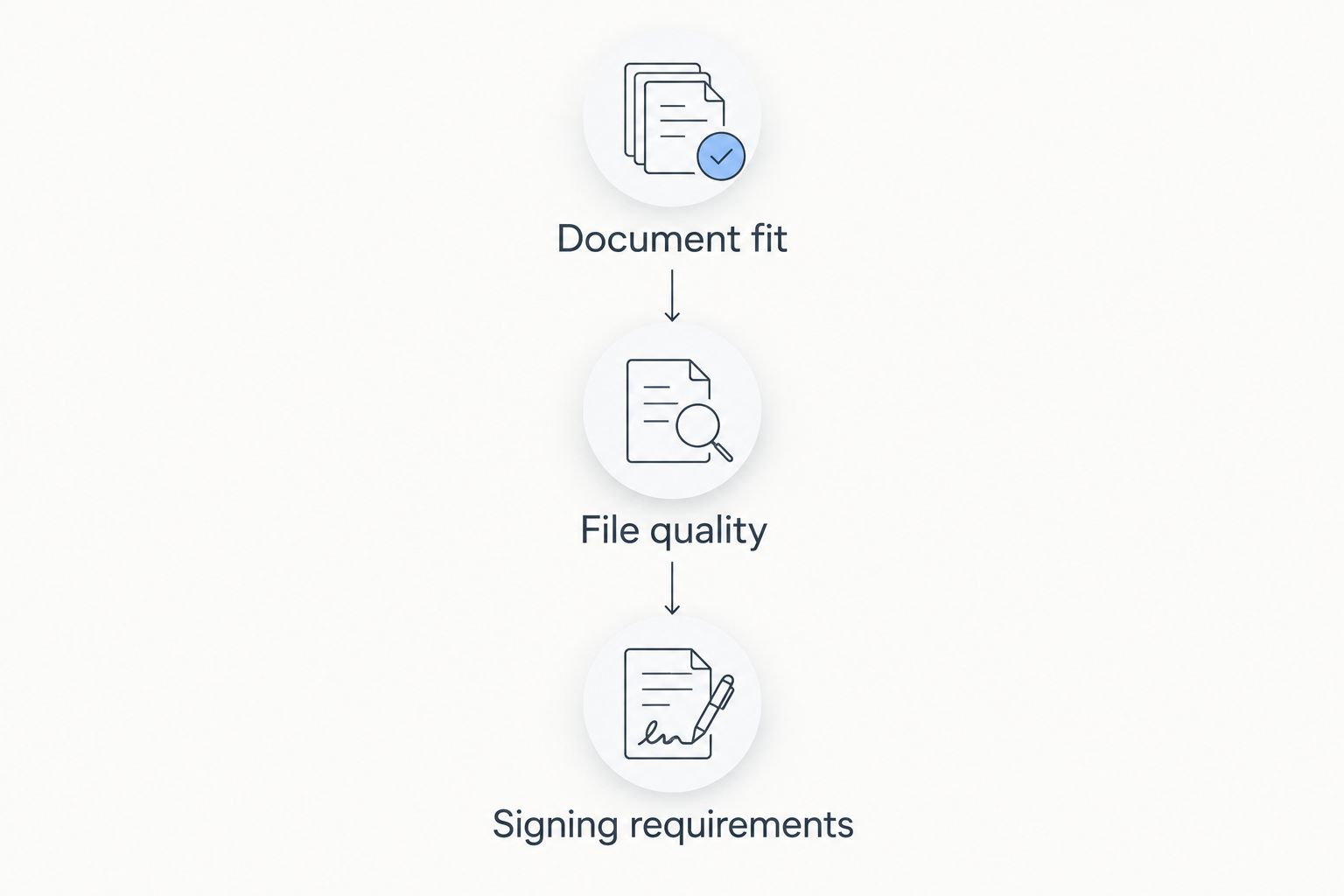
Use 3 checkpoints: Document fit, File quality, and Signing requirements. Apply them in that order so you do not spend time perfecting the wrong agreement.
Document fit
Identify what the document must accomplish and which jurisdiction or recipient requirements apply. Decide whether you need a template, legal assistance, or an already-approved document. Resolve uncertainty about the agreement before treating editing software as the answer.
File quality
Process a non-sensitive sample that resembles your actual document. Inspect the output for changed page breaks, displaced text, and altered tables. Keep the source available so you can compare the result and correct unintended changes.
Signing requirements
Confirm what the receiving person or organization accepts. Do not assume that every document can use the same signature method. Check any applicable witnessing, notarization, or submission requirements separately from the software decision.
For your 2026 evaluation, write a short acceptance checklist before opening any tool. Include the source format, the required output, and the recipient's conditions. Judge the result against that checklist rather than against a demonstration using a simpler document.
When staying with US Legal Forms is the right call
Stay with US Legal Forms when finding a suitable legal form remains your primary need. An editor or signature tool is not a direct substitute for that job.
Keep the decision narrow. If the form source meets your needs and the inconvenience happens afterward, evaluate the processing step separately. Switching the source of your legal documents solely to solve a file-format problem confuses two different purchases.
The same rule applies in 2026 as it does to any document workflow: select the right content, check the file, then complete the required signing process.
FAQ
What's the best US Legal Forms alternative in 2026?
Zendocs is the best fit on this shortlist for online document processing when you already have the document. Choose Rocket Lawyer for legal-document preparation, Adobe Acrobat for PDF work, or Docusign for electronic-signature workflows.
Are uslegalforms alternatives all legal-template services?
No, uslegalforms alternatives include different categories of tools. Legal-document services help with the starting document, while editors and signature tools address later stages of the workflow.
Is Rocket Lawyer better than US Legal Forms?
Rocket Lawyer is the closer fit when your requirement includes legal-document preparation and access to legal assistance. US Legal Forms remains relevant when your main requirement is finding a legal form.
Can Adobe Acrobat replace US Legal Forms?
Adobe Acrobat can address PDF editing and conversion, but that is not the same task as selecting a legal form. Use a PDF editor when you already have suitable source content.
Can I use Docusign instead of a legal-form service?
Use Docusign for the electronic-signature stage, not as a substitute for selecting the agreement. Prepare and check the document before sending it for signature.
How do I choose between a document editor and a legal-document service?
Choose a document editor when the file needs work; choose a legal-document service when you need the document itself. If you need advice about legal consequences, treat that as a separate legal-help requirement.
Does signing a document electronically make its contents correct?
No, an electronic signature does not establish that the document contains appropriate or accurate terms. Check the content and any applicable signing, witnessing, notarization, or submission requirements separately.
One last thing
Do not overwrite your only source document while evaluating an alternative. Keep an unchanged copy, inspect the processed version, and send only the version you have checked. This separates a successful software operation from a document that is actually ready to use.
Your final choice should follow the unresolved task. Find the agreement, process the file, or complete the signing—not whichever category happens to appear first in search results.


