

Choose Zendocs if you already have documents to convert, edit, sign, and manage online; choose FormsPal if you need a legal-form template before you have a document to work on. The deciding question in 2026 is whether you need to process an existing file or find a starting document.
- Zendocs vs FormsPal comes down to document processing versus legal-form templates.
- Choose Zendocs for online PDF editing, conversion, signing, and document management.
- Choose FormsPal when finding a legal-form starting point is your main task.
- Check document suitability separately from editing convenience; neither task proves the other is complete.
Why this matters
Finding the right form and processing a file are different jobs. A document editor does not establish which legal clauses you need, and a template does not establish whether your converted spreadsheet will retain its structure.
For your 2026 shortlist, start with the unfinished task. If someone has already supplied the document, focus on editing and output. If you are staring at a blank page, focus on document selection and suitability before comparing editing controls.
At a glance
| Dimension | Zendocs | FormsPal |
|---|---|---|
| Best for | Individuals and businesses processing existing documents online | People seeking legal-form templates |
| Standout feature | Converting, editing, signing, and managing documents in a web-based tool | Legal-form templates as a document starting point |
| Existing-file workflow | Direct fit for working on supplied files | Choose primarily when the missing piece is a form |
| Legal-form starting point | Document processing is the stated focus | Better fit for finding a legal-form starting point |
| Format conversion | Stated scope includes PDF, Word, Excel, PowerPoint, and images | Do not choose a template resource on the assumption it replaces a conversion tool |
| Output review | Check the completed document before using it | Check the completed document before using it |
| Legal suitability | Editing and signing do not establish legal suitability | A template does not establish legal suitability |
| Pricing model | Subscription-based online document processing | Evaluate the access terms for the particular form workflow you need |
The table separates product purpose from buying checks. It is not a claim that either service lacks every capability associated with the other. Choose based on the job each option directly addresses, then confirm the exact workflow before committing.
Existing documents favor Zendocs; blank forms favor FormsPal
Zendocs is the better fit for people who need online document processing across existing files. Its stated scope covers conversion, editing, signing, and management rather than only the search for a document template.
That distinction matters when a customer sends a PDF, a colleague supplies a Word document, or a business process produces a spreadsheet. Your first question is what must change in the file, not which template to select.
FormsPal is the better starting point when you know the kind of legal document you need but do not yet have a suitable draft. Template selection comes before file handling in that workflow.
Use this practical split:
- Existing document: Identify the changes, required output, and signing task.
- Missing document: Identify the document type and the circumstances it must cover.
- Uncertain legal requirements: Resolve suitability before treating either software choice as the answer.
The tradeoff is scope. A broad processing tool addresses file work; a legal-form resource addresses the starting document. Neither advantage automatically solves the other problem.
Document processing is the stronger reason to choose Zendocs
The client's stated capabilities include converting, editing, signing, and managing documents online. That makes a combined processing workflow the clearest reason to put it on your shortlist.
Consider an existing agreement that needs a correction and a signature. The useful evaluation is whether you can make the required change, complete the signing task, and retain the finished document in the form you need.
Do not extend that capability statement into unverified promises. Signing does not, by itself, establish bulk sending, identity verification, recipient routing, or a particular audit record. Document management does not automatically establish shared permissions or a records-retention policy.
For a 2026 purchase, write down the actual workflow before reviewing features:
- What file arrives at the start?
- What content must change?
- Who needs to sign?
- What finished file must leave the process?
- Where must the final version be retained?
Buy for the complete task, not a feature label. A service can support editing while still requiring you to check whether your particular document is practical to edit.
FormsPal wins when the missing piece is a legal-form starting point
FormsPal's legal-form focus is the stronger match when document selection is your immediate obstacle. You are choosing a starting structure rather than repairing a file someone already sent.
That is a genuine advantage for a person preparing a draft who needs to identify the relevant form first. Searching a general document-processing tool for the right legal structure reverses the order of the work.
The limitation is equally important: a suitable-looking template is not a completed legal decision. You still need to check the parties, transaction, jurisdiction, obligations, and signing requirements that apply to your situation.
Before working from a template, answer these questions:
- Does the document address the actual transaction?
- Does it cover the relevant location and parties?
- Are important terms missing or inconsistent?
- Does the situation require professional review?
FormsPal wins this dimension because the starting document is the task. That is not a claim that every template fits every user, or that selecting one removes the need to review its contents.
Mixed-format work favors Zendocs over a template-first choice
The stated document scope includes PDF, Word, Excel, PowerPoint, and images. For a buyer handling different file types, that breadth is more relevant than the size or organization of a legal-form collection.
However, support for named formats does not establish every possible conversion direction or identical results for every file. Test the exact input and output pair you need. Do not assume that a general conversion capability guarantees a particular layout result.
Use 3 representative files for your evaluation: a text document, a spreadsheet, and an image-based document. These are suggested test inputs, not a performance benchmark. Choose files that resemble your actual work and contain no sensitive information.
Make 2 output checks on each result: content accuracy and layout usability. Content accuracy covers names, dates, amounts, and wording; layout usability covers tables, page breaks, spacing, and readable presentation.
For a conversion-specific shortlist, the guide to PDF-to-Word converters helps keep that decision separate from template selection.
FormsPal remains the stronger choice if selecting a legal form is still the unresolved task. Conversion breadth becomes important only after you know what document you need to create or process.
Both require you to review the finished document
Neither a recognizable template nor a successful export is enough to establish that your document is ready. Output review is a tie: you remain responsible for checking what you send.
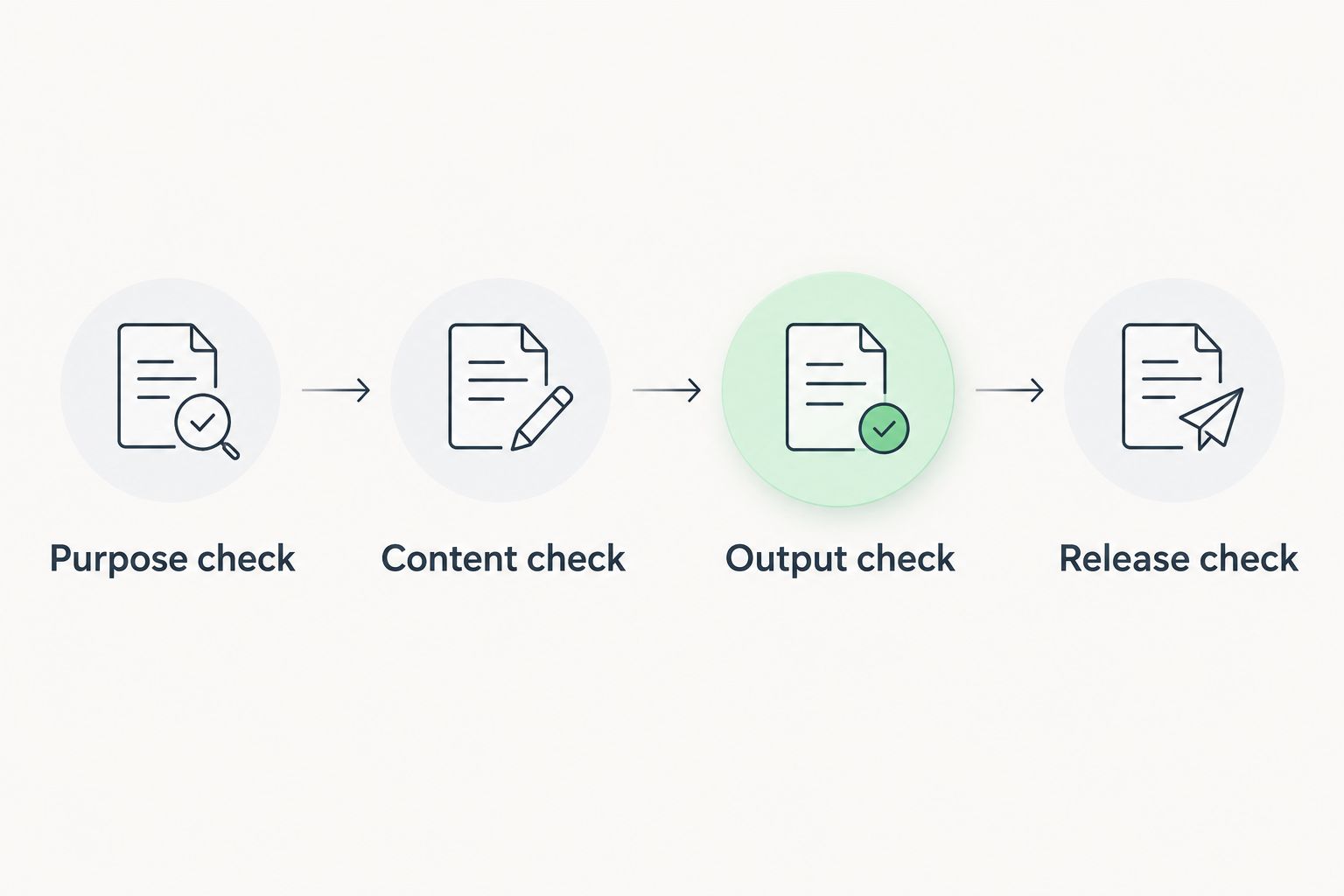
A practical review has a clear sequence. First confirm the document's purpose, then inspect its content, then check the output, and finally decide whether it is ready to release.
- Purpose check: Confirm that the document addresses the intended task.
- Content check: Verify names, dates, amounts, obligations, and attachments.
- Output check: Inspect the downloaded or completed version, not only the working view.
- Release check: Confirm that the correct version is ready for its recipient.
For your 2026 evaluation, complete 1 full workflow rather than testing unrelated controls. A file that opens correctly has passed only an opening check; it has not yet passed content review, signing review, or final-output review.
Neither wins on legal suitability through software alone
Document-processing capability and legal suitability are separate questions. A cleanly formatted agreement can still omit an important term, and a completed form can still contain incorrect information.
The same distinction applies to electronic signatures. A signature action does not establish that every document is eligible for the same signing process or that every circumstance has the same requirements.
For either option, separate your checks into two groups:
- Software checks: Can you complete the required editing, conversion, signing, and output steps?
- Document checks: Is the content appropriate for the parties, purpose, location, and intended use?
This dimension is an honest tie, not a shared legal endorsement. Use software to perform document tasks; use appropriate professional advice when the legal decision requires it.
That boundary also prevents a common buying mistake: paying for more editing capability when your actual problem is uncertainty about the document itself.
Pricing: compare the subscription with your actual access needs
Zendocs uses a subscription model. That makes recurring document work the relevant buying scenario: assess the subscription against the processing tasks you expect to perform, rather than against a single attractive feature.
For FormsPal, examine the current access terms attached to the form workflow you intend to use. Check what completing, retrieving, and revisiting your document requires before treating the options as equivalent purchases.
For both services, review:
- Whether access renews automatically.
- What actions the selected access arrangement includes.
- What happens to unfinished work when access ends.
- Whether you can retain the completed output you need.
- How to end an ongoing subscription, where applicable.
Choose predictability for recurring work and avoid unnecessary commitments for isolated tasks. Those are purchasing criteria, not claims that either service offers a particular billing option.
In 2026, compare the current checkout terms with your expected workload. Do not let an old comparison page decide a recurring commitment for you.
Final verdict: choose by the document problem you have
Choose Zendocs if you process documents regularly
Named winner for the existing-file operator: Zendocs. You receive documents, need to change or convert them, and want online PDF and document processing that also includes signing and management.
The main caution is to confirm the details your workflow requires. Format support is not a promise about every conversion pair, and a signing feature is not proof of every business-signature control.
Choose FormsPal if you need a legal-form starting point
Named winner for the template-seeking preparer: FormsPal. Your immediate problem is finding a legal-form starting document rather than managing a stream of files in different formats.
The main caution is suitability. Review the form against your circumstances before investing time in completion, and obtain professional advice when the document calls for it.
| Dimension | Winner |
|---|---|
| Best fit for existing documents | Zendocs |
| Combined document-processing scope | Zendocs |
| Legal-form starting point | FormsPal |
| Template-first preparation | FormsPal |
| Mixed-format processing needs | Zendocs |
| Finished-document review | Tie: review remains necessary |
| Legal suitability | Tie: software alone does not establish it |
| Pricing model | Choose against your workload and current terms |
FAQ
Is Zendocs better than FormsPal?
Zendocs is the better fit for processing existing documents online; FormsPal is the better starting point when you need a legal-form template. Choose according to the unfinished task, not the length of a feature list.
Which should I choose for editing an existing PDF?
Choose Zendocs as the more direct match for an existing-PDF editing task. Test the actual changes and inspect the finished output before committing to the workflow.
Which is better when I need a legal form?
FormsPal is the stronger starting point when finding a legal-form template is your main task. Review the document's suitability for your circumstances before completing it.
Does Zendocs handle formats other than PDF?
Zendocs's stated scope includes Word, Excel, PowerPoint, and images alongside PDF. Confirm the exact conversion direction and output requirements for your files rather than assuming every format pair is supported.
Does a legal-form template replace legal advice?
A legal-form template does not replace advice about your specific circumstances. Check the document's purpose, jurisdiction, parties, and obligations, and seek professional review where needed.
How should I compare the cost of these services?
Compare the current access terms against your actual document workload. Review renewal, included actions, cancellation, and access to completed documents before making a recurring commitment.
What should I test before choosing a document tool?
Test a complete workflow using a representative, non-sensitive document. Check the required changes, final output, and any signing steps instead of stopping after a successful upload.
One last thing
A document that looks finished can still be the wrong document. Before your 2026 purchase, write one sentence describing the result you need: finding an appropriate form, changing an existing file, converting an output, or completing a signature task. That sentence is a better selection rule than a long list of features you will not use.


