

Choose Zendocs if you need to convert, edit, sign, and manage existing documents across PDF and Office formats; choose FormSwift if you want to start with a document template rather than an existing file. The distinction in 2026 is your starting point: processing documents you already have versus creating a document from a prepared form.
- Zendocs vs FormSwift comes down to existing-file processing versus template-led document creation.
- Choose Zendocs for online document processing across PDFs, Word, Excel, PowerPoint, and images.
- Choose FormSwift when finding and completing a document template is your main task.
- Both support PDF editing and signing; test your actual document before choosing a subscription.
Why this matters
A template library and a document-processing tool solve different bottlenecks. If you already receive completed files, your work starts with conversion, correction, and delivery. If you have nothing drafted, your first problem is deciding what the document should contain.
Choose around the document's starting point, not the longest feature list. An editor does not decide which clauses belong in an agreement, and a template does not prove that a complicated spreadsheet will convert cleanly.
For your 2026 evaluation, follow a document from its original state to the file your recipient needs. That exposes the difference between a feature you occasionally recognize and a workflow you actually use.
At a glance
The table separates each product's role from the checks you should make before subscribing. A named use case is not a claim that the other product cannot perform the task.
| Dimension | Zendocs | FormSwift |
|---|---|---|
| Best for | People processing existing documents across formats | People creating documents from templates |
| Starting point | An existing PDF, Office document, or image | A template or an uploaded document |
| Format conversion | Explicitly covers PDF and other document formats | Check the conversion needed for your particular workflow |
| PDF editing | Part of the document-processing offering | Offers online PDF editing |
| Signing | Part of the document-processing offering | Offers electronic signing |
| Template-led creation | Not the basis for this recommendation | The stronger fit when a prepared document is the starting point |
| Pricing model | Web-based subscription | Subscription access; review the selected offer's terms |
| Standout feature | Conversion, editing, signing, and management in one document-processing scope | Document templates alongside editing and signing |
Zendocs is the better fit for existing-file processing
Best for: individuals and businesses whose work begins with a file someone else created. The stated offering covers converting, editing, signing, and managing PDF and other document formats, including Word, Excel, PowerPoint, and images.
That scope fits a practical requirement: you need to change the form of a document without starting its content again. The strength is the match between the product's stated purpose and a file-first workload—not an unverified claim about conversion accuracy or speed.
The limitation matters just as much. Format support does not establish that every font, table, formula, or page break will survive a conversion unchanged. Inspect your output rather than treating a successful download as proof of a successful job.
Use these acceptance checks:
- Content: Names, amounts, dates, and paragraph text remain correct.
- Layout: Tables, headings, margins, and page breaks remain usable.
- Editability: The output lets you change the content you actually need to change.
- Delivery: The recipient can open and use the final format.
FormSwift remains relevant if an uploaded PDF is all you need to edit. The broader file-processing recommendation becomes more useful when your work crosses document formats, rather than staying inside a single form.
FormSwift is the better starting point for templates
Best for: someone who needs a prepared document structure before editing begins. FormSwift's template-led approach addresses the blank-page problem: finding a document type and using its structure to prepare a draft.
That is a different advantage from file conversion. If your task starts with “I need to create this kind of document,” beginning with a relevant template is more direct than opening an editor and building the structure yourself.
The tradeoff is that a template is a starting point, not a determination that its wording fits your circumstances. Check the parties, obligations, dates, required disclosures, and intended use. For legal documents, obtain appropriate legal advice when you need a judgment about suitability.
Before committing to a template workflow in 2026, confirm:
- The exact document type matches your task, not merely a similar title.
- You can change the sections that need tailoring.
- The finished document has the format your recipient requires.
- Your next step is clear: review, signature, submission, or storage.
FormSwift wins when document selection comes before document processing. Do not extend that verdict into a claim that every template is appropriate for every user or jurisdiction.
Existing files favor conversion; blank pages favor templates
The most useful comparison is not a list of buttons. It is the path between your starting material and your required result.
- Existing file: You have content and need to convert, edit, sign, or manage it.
- Blank page: You need a document structure before you can supply the details.
- Final output: You need a usable document in the recipient's required format.
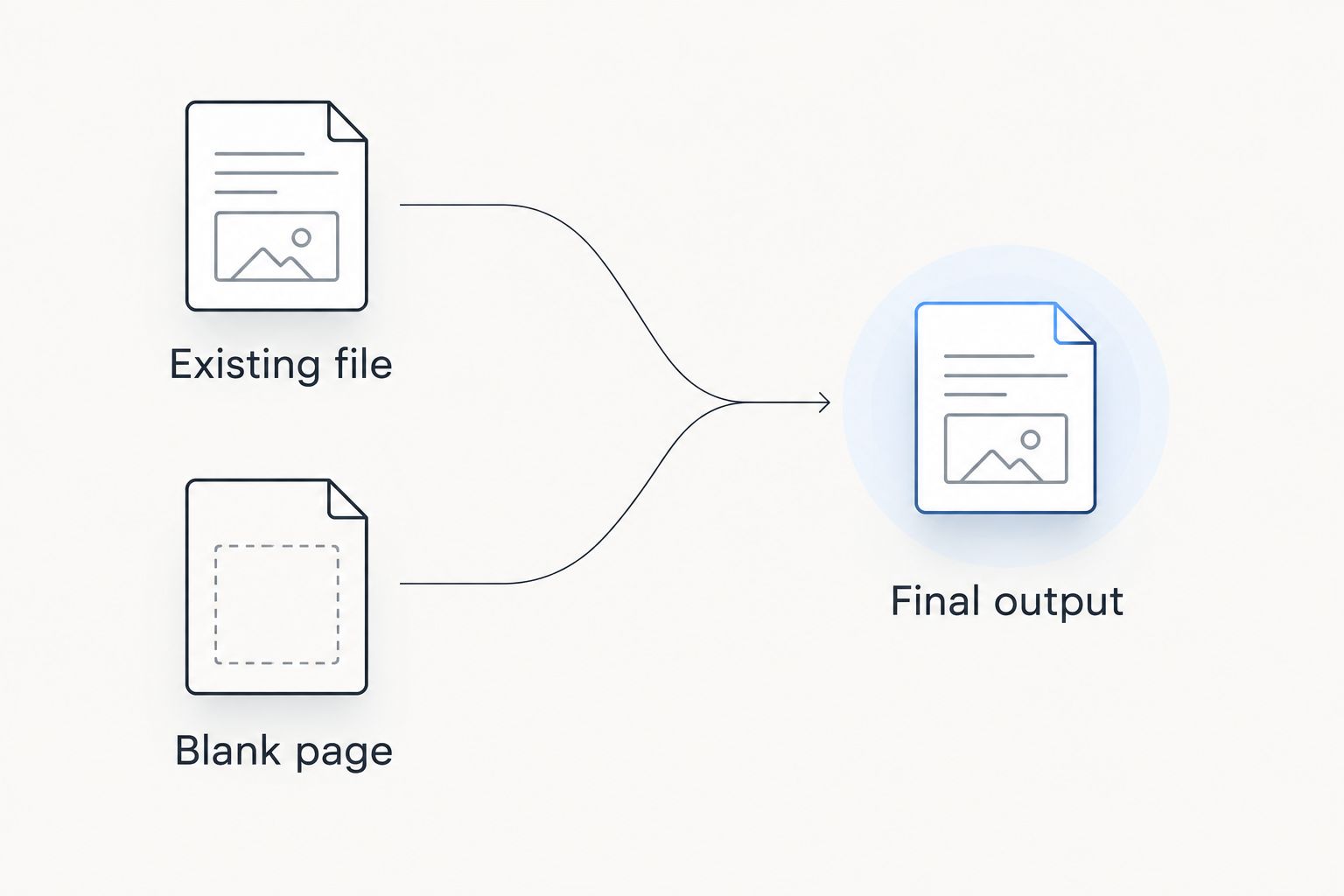
A mixed workload needs a more careful decision. Separate recurring tasks from unusual ones, then select for the work that creates the most repeated effort. Do not assume either product must replace every document tool you use.
For a conversion-heavy workload, the guide to converting Word to PDF without installing Word helps define the task before you evaluate a subscription.
Both offer PDF editing; your document decides the fit
Best for: users who already have a PDF and need to change it. Both products offer PDF editing, so the presence of an editor is a tie at the category level. It does not establish equal performance on every document.
First, distinguish changing existing content from adding material over a page. A text correction, an annotation, and a completed form field are different jobs. Test the exact operation you need instead of relying on the word “edit.”
Choose 3 sample documents for your evaluation: a straightforward text PDF, a layout-heavy document, and a representative form. These are suggested test files, not a performance benchmark or a claim about either service.
For each file, make a meaningful change and reopen the exported result outside the editor. Look for shifted text, clipped characters, unwanted page breaks, or fields that no longer behave as expected.
A browser preview is only an intermediate check. The exported document is the product of the workflow. If it fails the recipient's requirements, the editing experience alone does not settle the purchase decision.
Both offer signing; signing requirements break the tie
Best for: users who need to add an electronic signature to a document. Both products cover signing. That shared capability does not establish that every signing workflow has the same identity checks, evidence, routing, or administrative controls.
Start with the distinction between signing your own document and collecting signatures from other people. Those tasks create different requirements. Before choosing, write down who signs, who receives the completed file, and what evidence your organization needs to retain.
Evaluate the complete signing task:
- Can the intended signer complete the required action?
- Does the exported document show the expected signature and completed fields?
- Can you identify the final signed version without confusion?
- Does the process meet your recipient's requirements?
Keep 2 versions during your test: the unsigned original and the completed signed document. This is a document-control recommendation, not a claim about either product's version-history features.
Treat signing as a tie until a specific requirement separates the options. Neither a signature button nor a template library, by itself, establishes suitability for a regulated or legally sensitive process.
Pricing: match the subscription to recurring work
Zendocs uses a web-based subscription model. FormSwift also offers subscription access. For your 2026 decision, compare the current checkout terms and included tasks rather than treating the word “subscription” as a meaningful difference on its own.
A subscription aligns most naturally with repeated work. For an occasional document, the important question is whether the commitment and renewal terms match that limited need. For recurring processing, the question is whether the included capabilities cover your routine without extra work elsewhere.
Check these terms before subscribing:
- Billing period: Understand the commitment you are accepting.
- Renewal: Read how the subscription continues.
- Cancellation: Confirm the procedure and when cancellation takes effect.
- Included work: Check the operations and any applicable usage restrictions.
- File handling: Understand how you retrieve completed documents.
Do not infer team access, unlimited processing, integrations, storage allowances, or service commitments from a general product description. Confirm each requirement explicitly.
There is no defensible pricing winner without matching the current offer to your actual workload. Predictable billing is useful only when the subscription covers the jobs you need completed.
Run a complete workflow before choosing
For a practical 2026 comparison, evaluate 1 complete workflow from source document to recipient-ready output. Testing disconnected features hides the handoffs where a process becomes awkward.
Use the same source material and acceptance criteria for both products:
- Define the task. State whether you are creating a document, changing an existing file, or collecting a signature.
- Prepare the source. Use a non-sensitive sample that resembles your real work.
- Complete the changes. Perform the actual edits, conversion, or signing task—not just an upload.
- Inspect the export. Reopen the finished file and check its content and behavior.
- Check the handoff. Confirm the recipient can use the result as intended.
For a template-led task, include document selection in the evaluation. For a conversion-led task, include output inspection. Otherwise, you remove the very step that distinguishes the products.
A successful trial ends with a usable document, not merely a completed sequence of clicks.
Final verdict: choose the starting point you use most
Choose Zendocs if you process existing documents
Named user profile: the file-processing generalist. You receive PDFs, Office documents, and images and need online document processing across conversion, editing, signing, and management.
This is the better-aligned choice when existing content drives your workload. The tradeoff is that you still need to validate output quality and confirm any specialized requirements rather than assuming broad scope proves every detail.
Choose FormSwift if you start with a document template
Named user profile: the template-first document creator. Your main difficulty is finding a suitable starting structure and preparing a document, rather than moving existing content between formats.
FormSwift is the better fit for that starting point. The tradeoff is that choosing a template does not remove the need to review its wording, suitability, and finished output.
| Dimension | Winner |
|---|---|
| Existing-file processing | File-processing choice |
| Template-led creation | FormSwift |
| Cross-format workload fit | File-processing choice |
| PDF editing | Tie until document testing |
| Signing | Tie until requirements testing |
| Subscription suitability | Match current terms to workload |
FAQ
Is Zendocs better than FormSwift?
Zendocs is the better-aligned choice for processing existing documents across PDF and other formats. FormSwift is the better starting point when creating a document from a template is your main task.
Which should I choose if I already have a PDF?
Choose based on the operation your existing PDF needs: editing, conversion, signing, or a combination. Both products offer PDF editing and signing, so test the exact task and inspect the exported result.
Is FormSwift a better choice for creating a document from scratch?
FormSwift is the better fit when you want a prepared template rather than an empty document. Review the template's content and suitability before using the finished document.
Do both tools support electronic signatures?
Both tools offer signing. Confirm the specific process you need, including who signs, the required evidence, and the recipient's acceptance requirements.
How should I compare subscription costs in 2026?
Compare the current billing period, renewal terms, cancellation process, and included operations. Match those terms to recurring work rather than choosing from a headline offer alone.
What should I test before paying for a document tool?
Test a complete workflow using a non-sensitive document representative of your work. Make the required changes, export the result, and reopen it outside the editor before deciding.
One last thing
The most useful test happens after you leave the editor. Send the exported sample through the same handoff your real documents follow, then open it as the recipient would.
A document that looks correct in an editing window has not yet passed that test. Choose the workflow that produces the usable result you need—not the interface that makes the strongest first impression.


