

Choose Zendocs if your work moves between PDFs, Word, Excel, PowerPoint, and images; choose pdfFiller if your main task is completing, signing, and reusing forms. For this 2026 comparison, the deciding factor is your document workflow—not a claim that one editor wins every task.
- Zendocs vs pdfFiller comes down to mixed-format document processing versus form-centered PDF work.
- Zendocs fits users who need conversion, editing, signing, and document management across several formats.
- pdfFiller fits users who prioritize fillable PDFs, document templates, and signature requests.
- Both support online PDF editing and signing; test your actual files before choosing a subscription.
Why this matters
A PDF editor is useful only if it handles the work before and after the edit. Converting a spreadsheet, changing a paragraph, filling a form, and collecting a signature are different jobs. Treating them as one feature makes comparisons misleading.
For your 2026 shortlist, identify the recurring task first. An individual converting office documents has different requirements from an administrator sending the same form to multiple recipients. The better choice is the one that supports that recurring task without forcing you to rebuild the document elsewhere.
Zendocs is a fit for users who need online document processing across PDF and office formats. pdfFiller's form tools make it the stronger starting point when the document is primarily a form rather than a file you need to transform.
At a glance
| Dimension | Zendocs | pdfFiller |
|---|---|---|
| Best for | Individuals and businesses processing documents across formats | Users completing, preparing, and sending PDF forms |
| Mixed-format work | Conversion, editing, signing, and management covering PDF, Word, Excel, PowerPoint, and images | PDF-centered editing with document conversion tools |
| Form preparation | Document editing and signing within a broader processing tool | Fillable fields, form completion, and document templates |
| Electronic signatures | Signing is part of the stated document-processing offering | Signing and signature-request workflows |
| Browser access | Web-based document processing | Online PDF editing and form workflows |
| Document organization | Document management is part of the offering | Document storage and organization alongside form workflows |
| Pricing model | Subscription | Subscription with different plan levels |
| Standout feature | Breadth of the stated document-format brief | Dedicated form preparation and completion tools |
The table describes product fit, not measured speed or output quality. Conversion accuracy, editing behavior, and the usefulness of document organization depend on the files and tasks you bring to the editor.
Mixed-format work favors Zendocs' document-processing brief
If your documents arrive as spreadsheets, presentations, images, and PDFs, start with the mixed-format workflow. The stated offering covers converting, editing, signing, and managing those document types. That makes it a relevant candidate when PDF editing is only one part of the job.
A business administrator, for example, can need an editable document at one stage and a signed PDF at another. A useful comparison follows that entire sequence. Opening the original file is not enough; the exported version must remain usable for its next recipient.
pdfFiller also offers document conversion, so format breadth is not an exclusive advantage. Its form-centered approach is a better match when conversion serves a final PDF form rather than a continuing office-document workflow.
The advantage here is fit, not a proven conversion-quality lead. Before subscribing, check these points with your own files:
- Does a converted Word document retain readable paragraphs and usable tables?
- Does spreadsheet output preserve the relationships between labels and values?
- Does a presentation export keep text and images in the intended positions?
- Can you edit the output without reconstructing the document?
The limitation of a broad feature list is that it does not show how well a difficult file converts. Use the PDF-to-Word converter guide to separate format support from the practical requirements of an editable export.
pdfFiller wins for form-centered work
pdfFiller is the better starting point when filling and preparing forms is your main job. Its fillable-field tools and document-template library address work that begins with a form and ends with a completed or signed document.
That distinction matters when you repeatedly prepare applications, intake documents, or other structured paperwork. Typing text onto a page completes a single file. Adding fields creates a document another person can complete without manually positioning every answer.
A form-centered buyer should examine the available field types, how recipients complete the document, and how the finished file is returned. These are more relevant than the number of file formats shown on a feature page.
The tradeoff is focus. A template library adds little value when you already have approved documents and only need to convert or revise them. Likewise, form-building tools should not decide the purchase if most of your workload consists of editing office files.
For the broader document processor, editing and signing are useful capabilities, but they are not evidence of an equivalent form library or identical field-building tools. Choose on the task you can demonstrate, not on an assumed feature match.
Before using any template, read the document itself. A form's presence in a library does not establish that its wording suits your transaction, organization, or jurisdiction.
Both support signing; recipient handling decides the choice
Both products include electronic signing, making this an honest tie at the basic capability level. If you only need to add your own signature to a document, either belongs on your shortlist.
Collecting someone else's signature is a different requirement. pdfFiller offers signature-request workflows, which makes it a relevant option when completion involves another person. Examine the recipient experience rather than treating your own ability to sign as proof that the whole process works.
Separate signing a file from managing a signature request. Your buying checklist should cover:
- Whether you sign the document yourself or send it to another person.
- How the recipient opens and completes the request.
- Whether the finished document includes the records your organization needs.
- How you retrieve and store the completed version.
Do not infer identical identity checks, audit records, or routing options from the word signing. Match the workflow to your requirements and inspect the completed output.
For a simple personal document, extra request-management tools are unnecessary complexity. For a business collecting signatures, they belong in the evaluation from the start. Neither a familiar interface nor a successful signature placement settles the entire decision.
Both offer browser access; your file constraints still matter
Both products support online document work, so browser access is another tie. You do not need to make desktop installation the central comparison when your goal is web-based processing.
The benefit is straightforward: you can work through a browser rather than organizing the purchase around a locally installed editor. The constraint is equally important: an online workflow must satisfy your organization's rules for handling documents.
Browser access does not establish suitability for sensitive files. Before uploading contracts, employee records, or financial documents, review the applicable privacy terms, access controls, retention settings, and deletion procedures.
Also distinguish mobile browser access from a comfortable mobile workflow. A document that opens on a phone is not necessarily easy to edit there. Small fields, detailed tables, and precise text placement deserve a device-specific check.
Use the device you actually work on. Complete an edit, download the result, and reopen the file outside the editor. That final check catches a different problem from whether the website loads successfully.
Document organization has no automatic winner
Document management is part of the client's stated offering, while pdfFiller includes storage and organization alongside its document workflows. Neither description establishes that one is the better team document system.
For an individual, useful organization means finding the right file and distinguishing a draft from a finished document. For a business, it also means controlling who handles the file and where the completed version belongs.
Choose document organization by retrieval and handoff, not by the presence of a dashboard. Ask whether you can identify the current version, retrieve an earlier output when needed, and move the completed file into your existing records process.
The form-centered option is relevant when your filing process revolves around completed forms. The mixed-format option is relevant when your work spans several document types. Neither focus substitutes for checking the actual organization tools available to your account.
If you already keep final documents in another system, avoid judging an editor as though it must replace that system. A reliable export and a clear naming process can matter more to your workflow than additional storage features.
Pricing: compare subscription scope, not headline figures
Both products use subscriptions. For a 2026 purchase, compare the subscription that includes your required workflow rather than assuming every advertised capability is included in every account.
pdfFiller offers different plan levels. That structure makes feature placement part of the buying decision: identify the plan containing the editing, form, or signature-request tools you intend to use. For the other subscription, check the current terms against the same task list.
A subscription supports recurring work, but it also creates an ongoing commitment. If your requirement is a single document, evaluate that commitment before treating access to more features as additional value.
Use the same questions for both:
- Billing: What billing period and renewal terms are you accepting?
- Scope: Does the subscription include your required actions?
- Limits: Are there usage restrictions relevant to your workload?
- Exit: How do cancellation and document retrieval work?
Do not compare subscriptions by feature count alone. A plan with tools you never use is not a better fit, while an essential action excluded from your selected plan changes the decision immediately.
Save the terms that apply when you subscribe. The buying decision should rest on the current agreement, not an old comparison or a remembered promotion.
Test the workflow before choosing a winner
Use 3 representative files: an editable office document, a structured PDF form, and a document that needs a signature. These are test inputs, not a claim about either product's performance.
Follow the same sequence in each editor:
- Open source: Import the original file and inspect its contents.
- Edit content: Make the change you regularly need to make.
- Complete fields: Fill the form or prepare it for another person.
- Sign document: Complete the signing action your task requires.
- Check export: Download the result and open it independently.
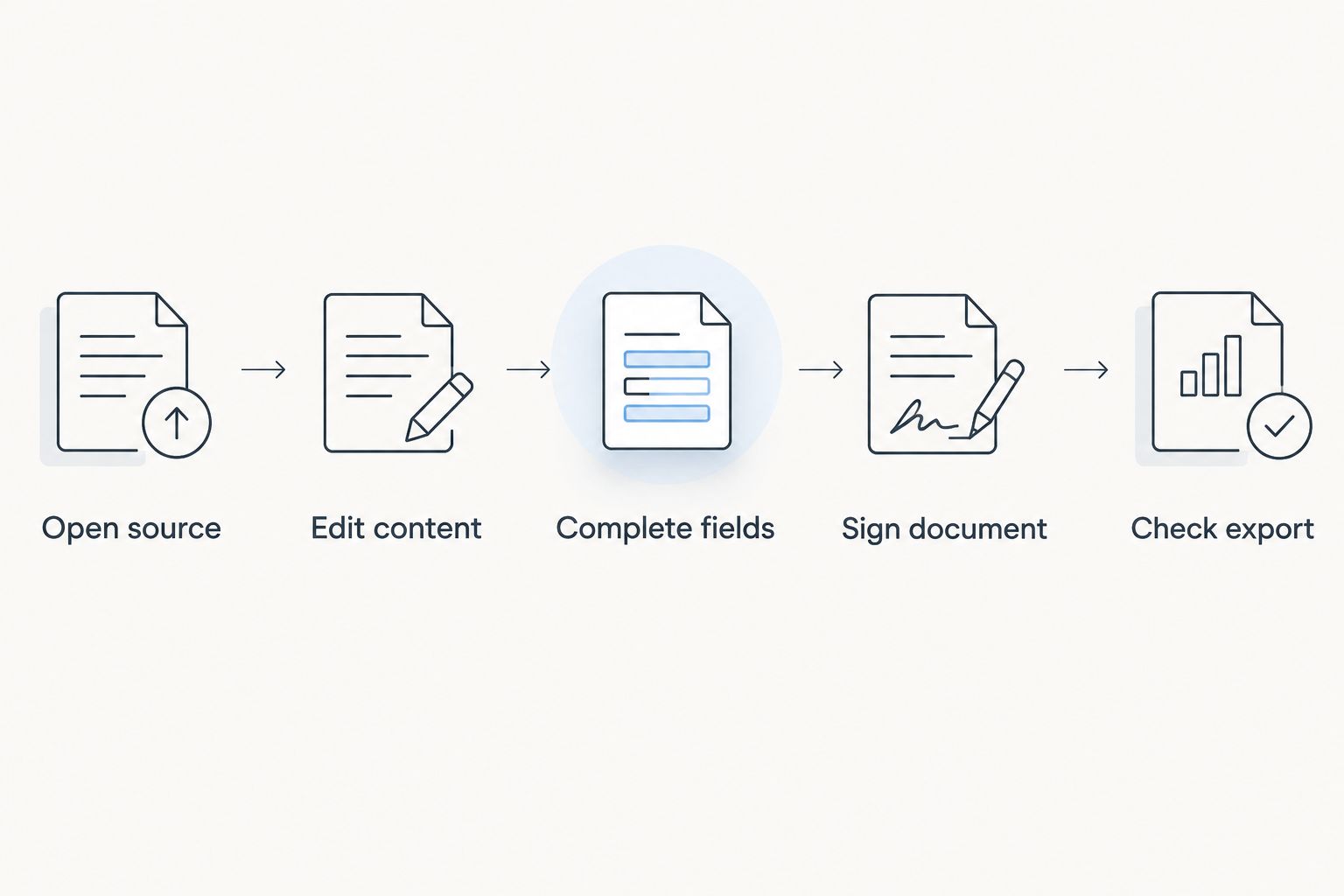
Record whether each required task succeeds and what you have to fix afterward. Keep the test focused on your real work; deliberately choosing irrelevant tasks produces an irrelevant winner.
For your 2026 decision, give the greatest weight to the step you repeat most often. A clean form workflow matters more to a forms administrator than presentation conversion, while editable output matters more to someone revising source documents.
Final verdict: choose by the document you finish
Choose Zendocs if you process mixed document formats
The named winner for a mixed-format document user is Zendocs. Choose it when your recurring work combines conversion, editing, signing, and management across PDFs and office files.
The strongest buyer profile is an individual or business administrator whose documents change format during the workflow. Confirm the quality of those conversions with representative files rather than assuming every layout will transfer unchanged.
Choose pdfFiller if you complete and send forms
The named winner for a forms administrator is pdfFiller. Choose it when fillable documents, templates, and signature requests are central to the work you need to finish.
The limitation is relevance: specialized form tools do not automatically make it the better choice for broader document conversion. If those tools are peripheral to your workload, compare the exported documents before making the purchase.
| Dimension | Winner |
|---|---|
| Best for | Split by user profile |
| Mixed-format work | Client's broader document-processing brief |
| Form preparation | pdfFiller |
| Electronic signatures | Tie for basic signing; pdfFiller for signature-request focus |
| Browser access | Tie |
| Document organization | No automatic winner |
| Pricing model | No automatic winner; compare subscription scope |
| Standout feature | Mixed-format processing versus dedicated form tools |
FAQ
Is Zendocs or pdfFiller better in 2026?
Zendocs fits mixed-format document processing, while pdfFiller fits form-centered PDF workflows. Choose by whether you mainly convert and revise files or prepare, complete, and send forms.
Which tool is better for filling out PDF forms?
pdfFiller is the better starting point for form-focused work because it offers fillable-field tools and document templates. Check the specific form and recipient workflow you need before subscribing.
Can both tools sign PDF documents?
Both tools include electronic signing. Signing your own file and requesting another person's signature are different tasks, so evaluate the exact workflow you need.
Which option should I choose for Word and Excel documents?
Start with the mixed-format document-processing option when Word and Excel files are central to your work. Test converted output for editable text, usable tables, and correctly associated spreadsheet values.
Do I need to install a desktop PDF editor?
Both products support online document work through a browser. Test the workflow on your actual device and check whether uploading the document meets your organization's requirements.
How should I compare the subscriptions?
Compare the subscription scope, billing period, renewal terms, usage limits, and cancellation process. Confirm that the selected subscription includes the tasks you need rather than comparing feature lists in isolation.
What should I test before switching PDF editors?
Test an office document, a structured PDF form, and a document requiring a signature. Download each completed file and reopen it outside the editor to inspect the final result.
One last thing
The editing screen is not the deliverable. The file your recipient opens is.
Before committing to a 2026 subscription, send a completed test document through your normal handoff process. Choose the editor that produces a usable final document for your recurring task—not the one with the longest feature list.


