

Choose Zendocs if you need web-based document processing across PDFs, Word, Excel, PowerPoint, and images; choose PDFLiner if your work centers on finding, filling, and signing PDF forms. This 2026 comparison separates those workflows so you can choose around the documents you actually handle, not a longer feature list.
- Zendocs vs PDFLiner: choose mixed-format document processing versus a PDF-form-centered workflow.
- Zendocs suits individuals and businesses that need conversion, PDF editing, signing, and document management online.
- PDFLiner suits users who prioritize PDF forms, fillable documents, and electronic signatures.
- Test exported documents and the full signing process before committing to a subscription.
Why this matters
A PDF editor and a document-processing tool overlap, but they do not solve exactly the same problem. Filling an existing form is different from converting a spreadsheet, editing the resulting document, collecting a signature, and keeping the final copy organized.
Choose for the complete workflow, not the easiest step. A tool that handles your first upload well still needs to produce a usable download. Your recipient needs to open it, read it, and use it without repairing your work.
For your 2026 evaluation, separate required capabilities from occasional conveniences. If most of your work starts with a PDF form, prioritize form handling; if documents arrive in several formats, prioritize the route between those formats.
At a glance
| Dimension | Zendocs | PDFLiner |
|---|---|---|
| Best for | Individuals and businesses processing several document formats online | Users working primarily with PDF documents and forms |
| Mixed-format work | Explicitly covers PDF, Word, Excel, PowerPoint, and images | Evaluate against your required input and output formats |
| Form-centered work | Editing and signing within a broader document-processing scope | PDF editing, form filling, and a document-form library |
| Everyday PDF editing | Included in the stated product scope | PDF editing is a core product function |
| Electronic signatures | Signing is included in the stated product scope | Electronic signing is part of its PDF workflow |
| Existing workflow | A candidate when you want conversion, editing, signing, and management together | A practical choice when your established PDF-form process already works |
| Standout feature | Breadth of stated document-processing tasks | Form-oriented PDF workflow and document library |
| Pricing model | Web-based subscription | Subscription-based service; compare current plan terms |
Mixed-format work favors the broader document-processing brief
Zendocs is best for users who need online conversion, editing, signing, and document management across multiple formats. Its stated scope includes PDF, Word, Excel, PowerPoint, and images, which makes it a relevant starting point when your incoming files are not all PDFs.
That is a workflow-fit verdict, not a claim that every conversion preserves every layout perfectly. File compatibility and output quality are different questions. You still need to check the particular conversion you intend to use.
Build a test pack with 3 representative files: a text-heavy document, a spreadsheet with tables, and a presentation or image-based document. Use working copies without confidential information. Choose files that resemble your actual work rather than unusually simple samples.
Inspect the results for:
- Paragraph breaks, headings, and page boundaries.
- Table columns, labels, and numeric alignment.
- Image placement and readable text.
- Whether the recipient can make the next required edit.
The advantage here is the match between the stated product scope and a mixed-format workload. The limitation is that broad scope does not establish conversion fidelity for your specific files. If editable Word output is your main requirement, the PDF-to-Word converter guide provides a more focused evaluation path.
PDFLiner is the better starting point for form-centered work
PDFLiner is the more direct starting point when your task begins with a PDF form. Its PDF editing, form-filling, electronic-signing, and document-library functions align with a workflow organized around completing documents rather than moving between several file formats.
Consider the difference between locating a suitable form and uploading a document you already own. A form library matters in the first scenario. In the second, editing controls and export quality matter more than the size or breadth of a library.
For a form-centered evaluation, follow the whole task:
- Find the form: Confirm that it is the document you need.
- Check the version: Verify the issuing organization and revision information.
- Complete the fields: Test long names, addresses, dates, and multiline answers.
- Review the export: Open the downloaded document outside the editor.
A form library is a useful starting point, not proof that a document meets your recipient's requirements. For official submissions, confirm the required form with the receiving organization.
PDFLiner's strength is relevance to the form-completion task. Its tradeoff is that a good form experience does not, by itself, settle a separate need for spreadsheet, presentation, or image conversion. Keep those requirements separate during your comparison.
Everyday PDF editing is a tie until the export proves otherwise
Both products cover PDF editing. Neither earns an editing-quality win from a feature label alone. Your deciding evidence is the exported document, especially when you are changing existing content rather than adding information over it.
Adding a text box and changing an existing paragraph are different operations. A document can look correct inside an editor yet become awkward when a recipient selects text, searches for a phrase, or opens it in another viewer.
Keep 2 versions during testing: the untouched original and the exported result. Compare them side by side instead of relying on your memory of the upload.
Check these practical details:
- Does the changed text sit where you intended?
- Do surrounding lines remain readable?
- Can you search for the information you added?
- Does printing preserve the intended page layout?
- Can another person understand the document without instructions?
The shared benefit is access to PDF editing within an online document workflow. The shared limitation is that the word editing does not explain how every document element behaves. Award this category to the output that passes your test, not to the product with more editing terms on its feature page.
Electronic signatures are a tie on basic scope
Both products include signing within their stated capabilities. That makes each relevant when you need to put a signature on a PDF, but it does not establish that their recipient workflows, records, or administrative controls are identical.
Treat placing a signature and managing a signing process as separate requirements. Signing your own document is a different task from sending a document to another person and tracking its completion.
For a 2026 signing evaluation, write down exactly what your process requires:
- Who signs, and whether order matters.
- Whether recipients need their own accounts.
- How the completed document reaches each participant.
- What evidence of the signing process your organization requires.
- Where the final signed copy must be stored.
Test the recipient's experience as carefully as your own. A straightforward sender interface does not resolve a confusing handoff.
Neither product wins this category on the basic presence of signing alone. If your decision depends on several participants, use the guide to multiple people signing the same PDF to define the process before comparing product controls.
An established PDFLiner workflow wins over an unproven switch
Keep PDFLiner when your existing PDF-form process already meets your requirements and the alternative has not solved a specific problem. Switching tools is not an improvement unless the replacement produces a better outcome for your work.
Name the problem before testing a replacement. Examples include a required conversion that your current process does not handle, repeated manual editing, or difficulty locating the correct final document. These are evaluation criteria, not claims about either product.
A new buyer has no existing process to preserve. An established user does. Existing instructions, saved documents, and colleague familiarity belong in the decision even when they do not appear in a feature comparison.
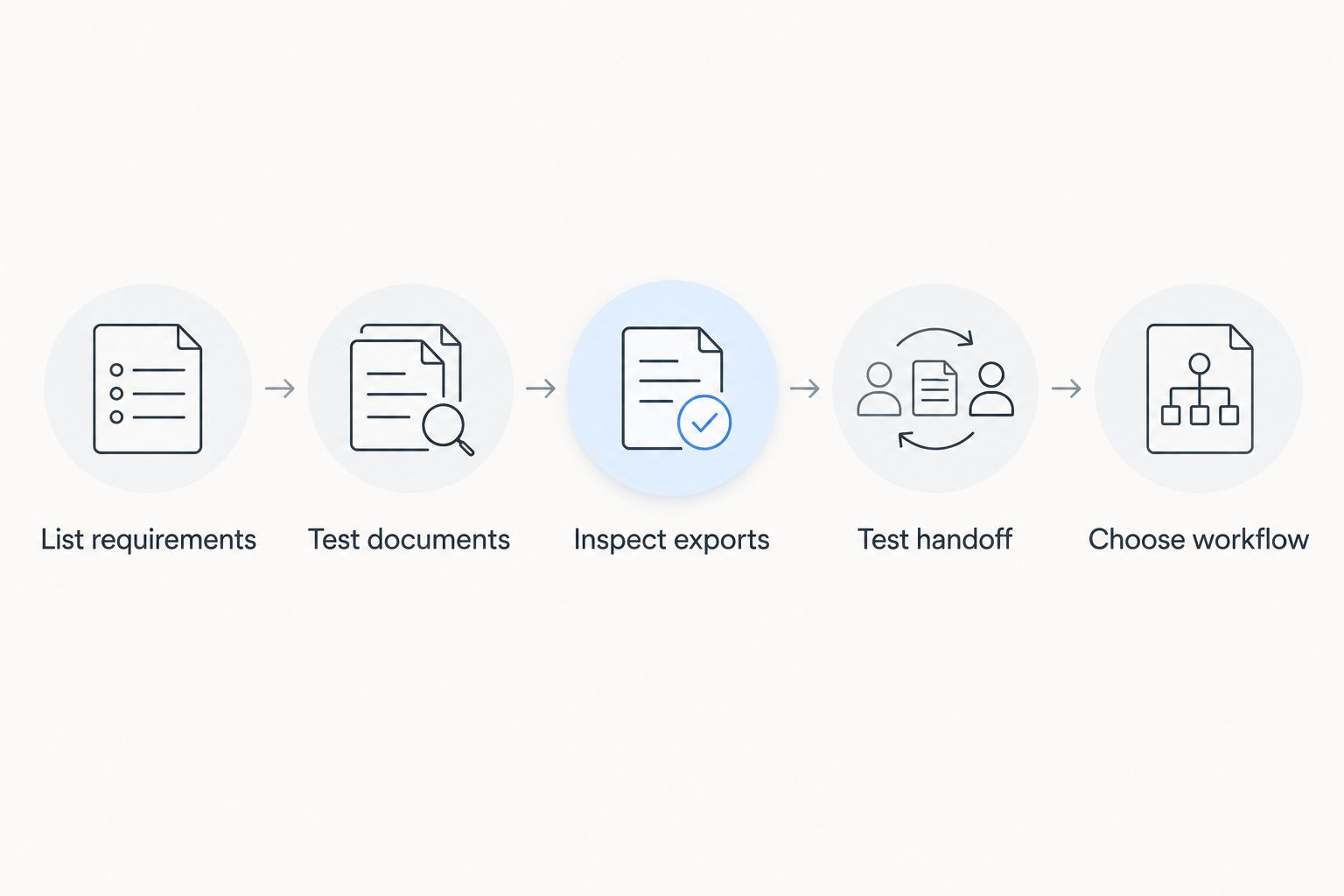
Use this sequence to keep the evaluation focused:
- List requirements: Identify the tasks your current process must support.
- Test documents: Run representative files through the candidate workflow.
- Inspect exports: Check the actual deliverables outside the editor.
- Test handoff: Ask a colleague or intended recipient to use the result.
- Choose workflow: Select the process that meets the requirements with fewer unresolved steps.
The benefit of staying is continuity. The limitation is that continuity alone does not fix an unmet requirement. Reopen the comparison when your documents or process change, rather than switching because a competing feature list looks longer.
The standout difference is breadth versus form focus
The useful distinction is not that one product edits documents and the other does not. Both address PDF tasks. The difference is where you should begin your evaluation.
For the broader document-processing option, start with the formats moving through your business. Trace the path from the original file to the final deliverable. That puts conversion, editing, signing, and management into the same decision.
For PDFLiner, start with the PDF or form you need to complete. Check whether the available workflow supports the fields, edits, signatures, and output your recipient expects.
Breadth wins when it covers required work; focus wins when it makes the required work easier to complete. Neither characteristic proves speed, accuracy, security, or administrative suitability without a task-specific check.
This distinction also prevents overbuying. You do not need a broad document workflow merely because you occasionally open a spreadsheet. Equally, a form-centered workflow is not enough if converting and revising other formats is central to your job.
Pricing: compare subscription terms against completed work
Both products use a subscription model. Compare the current terms in 2026 against the work you need to finish, rather than treating the subscription label as proof of equivalent value.
A recurring plan suits recurring document work when the included capabilities match your tasks. For an occasional project, assess the commitment and cancellation terms carefully. Do not assume that access to an editor includes every export, signing function, or administrative capability you require.
Before subscribing, confirm:
- The billing interval and renewal arrangement.
- Which required functions belong to the selected plan.
- Any applicable document, usage, or account limits.
- How cancellation works under the current terms.
- How you retain completed documents after your project ends.
For a 2026 purchase, predictability comes from understanding the commitment; flexibility comes from choosing terms that match your actual usage. The better subscription is the one that completes your required workflow without an unwanted commitment. A nominally attractive plan is not useful if a required task remains outside it.
Final verdict: choose by the document journey
Choose Zendocs if you handle mixed-format documents
Winner for the mixed-format operator: choose Zendocs when your work involves converting, editing, signing, and managing PDF and other document formats online. This profile includes an individual or business that receives Word files, spreadsheets, presentations, images, and PDFs and needs a document-processing tool covering those categories.
Validate the specific input-to-output paths you use. The reason to choose this option is its stated breadth, not an unsupported promise that every layout, signature process, or management requirement works identically.
Choose PDFLiner if your work revolves around PDF forms
Winner for the form-focused user: choose PDFLiner when finding, filling, editing, and signing PDF forms defines the job. It is also the practical choice for an existing user whose completed documents already meet recipient requirements and whose process has no identified gap.
Test any additional format requirement separately. A form-centered win should not become an assumption about unrelated document tasks.
| Dimension | Winner |
|---|---|
| Best for | Mixed-format users: Zendocs; form-focused users: PDFLiner |
| Mixed-format work | Zendocs for its stated document-processing scope |
| Form-centered work | PDFLiner for its form-oriented workflow |
| Everyday PDF editing | Tie on scope; decide using exported results |
| Electronic signatures | Tie on basic scope; verify the required signing process |
| Existing workflow | PDFLiner when an established process already meets requirements |
| Standout feature | Breadth versus form focus; choose the relevant fit |
| Pricing model | No winner without comparing current terms and required functions |
FAQ
Is Zendocs better than PDFLiner in 2026?
Zendocs is the better starting point for mixed-format document processing; PDFLiner is the better starting point for PDF-form-centered work. Compare representative exports before making the final choice.
Which option should I choose for filling PDF forms?
PDFLiner is the more direct starting point for a form-centered workflow. Check the form version, field behavior, and downloaded result against the receiving organization's requirements.
Can both tools sign PDF documents?
Both tools include electronic-signing capabilities. Confirm the recipient process and required signing records separately rather than assuming that basic signing covers every workflow.
Which is better for Word, Excel, and PowerPoint documents?
The broader document-processing brief favors Zendocs because its stated scope includes Word, Excel, PowerPoint, images, and PDFs. Test your required conversion direction and formatting before subscribing.
How should I compare the subscription plans?
Compare current subscription terms against the functions and commitment your work requires. Check billing intervals, renewal, cancellation, applicable limits, and access to completed documents.
Should I switch if PDFLiner already works for me?
Keep PDFLiner if your existing workflow meets your requirements and a replacement has not solved a specific problem. Switch only after representative documents demonstrate a useful improvement.
What should I test before choosing an online PDF editor?
Test the full route from upload to the recipient's use of the exported file. Include representative documents, required edits, signing steps, and a final review outside the editor.
One last thing
A text-perfect document can still fail the handoff. After your final test, open the exported file in a different PDF viewer and ask the intended recipient to perform the next task without your help.
Keep 1 final signed copy clearly separated from unsigned drafts when testing a signing workflow. The useful result of your 2026 comparison is not a preferred interface; it is a document that reaches the right person in a usable, identifiable state.


