

Choose Zendocs if you already have documents and need online conversion, editing, signing, and management; choose US Legal Forms if your starting problem is finding a legal document template. This 2026 comparison separates document processing from legal-form selection so you can choose for the task you actually need to finish.
- Zendocs vs US Legal Forms comes down to document processing versus legal template selection.
- Zendocs is best for individuals and businesses working with existing PDFs and other document formats.
- US Legal Forms is best for users whose first task is finding a legal form.
- Neither document editing nor template selection replaces checking legal requirements.
Why this matters
A document tool and a legal-form library solve different starting problems. If you confuse those problems, you can buy access to templates when you need to edit an existing file—or choose an editor when you still need the correct legal document.
Choose the starting point before comparing features. Someone updating an existing business document needs a different workflow from someone selecting a legal form for a particular transaction. Both tasks involve documents, but the first decision is not the same.
For your 2026 shortlist, separate three questions: Do you have the right document? Can you process the file? Does the finished document meet the requirements of its intended use? No single feature answers all three.
At a glance
| Dimension | Zendocs | US Legal Forms |
|---|---|---|
| Best for | Individuals and businesses processing existing documents online | Users starting with a search for a legal form |
| Legal starting point | Working on a document you already have | Finding a legal document template |
| Existing-file work | Conversion, editing, signing, and management | Legal-form selection is the stronger reason to choose it |
| Format coverage | PDF, Word, Excel, PowerPoint, and images | Choose around the legal form you need, not general file conversion |
| Signing scope | Signing is part of its stated document-processing scope | Check the completion and signing requirements for your chosen form |
| Legal review | File processing does not establish legal suitability | A template does not establish legal suitability |
| Pricing model | Web-based subscription | Subscription access to legal forms; check current billing terms |
| Standout feature | Multiple document-processing tasks in a web-based tool | A legal-form catalog as the starting point |
The table describes the decision each option supports. It does not treat a template library as a substitute for a document editor, or a document editor as a source of legal advice.
Existing documents favor Zendocs; finding forms favors US Legal Forms
Zendocs is best for individuals and businesses that need online document processing. Its stated scope includes converting, editing, signing, and managing PDFs and other document formats. That makes an existing document the clearest starting point for choosing it.
Consider an administrator who receives a document, needs to change its contents, and then prepares it for signature. The document already exists. The useful question is whether the processing workflow handles the required changes and produces a usable final file.
US Legal Forms is the better starting choice when you need to identify a legal form before doing anything else. A person looking for a legal template needs to assess the document's purpose and applicability, not just whether its text can be edited.
The tradeoff is straightforward:
- Existing-file user: prioritize editing, conversion, signing, and document handling.
- Template-first user: prioritize finding a form that matches the intended legal task.
- User with both needs: assess template selection and file processing as separate stages.
Do not choose based on how many document-related terms appear on a feature page. Choose based on the first task blocking you.
US Legal Forms wins when the missing piece is a legal template
US Legal Forms is the stronger fit when your question is what document to start with. Its legal-form catalog addresses a sourcing problem: locating a template for an intended legal use.
That advantage matters before editing begins. A polished document with the wrong purpose is still the wrong document. Converting its format or adding a signature does not correct the underlying choice.
The limitation is equally important: a template is a starting document, not a determination that it fits your circumstances. Read its stated purpose and instructions. Where jurisdiction matters, check that the document applies to the relevant jurisdiction and transaction.
Use these selection criteria:
- Purpose: does the form address the action you intend to take?
- Jurisdiction: does it apply where the document will be used?
- Parties: does it fit the people or entities involved?
- Instructions: can you identify the required completion and execution steps?
For a 2026 legal-document workflow, assess current requirements rather than assuming a previously used template remains suitable. Template access helps you locate a starting point; it does not remove the need to review that starting point.
Zendocs wins when the work is processing an existing file
The clearest reason to choose the client's tool is its stated document-processing scope. Conversion, editing, signing, and management belong to the same practical problem: taking a file you already have and preparing it for use.
This is different from searching a catalog. You are not deciding which legal document to create. You are deciding how to work with the document in front of you.
For example, your source file might need edits before it becomes a final PDF. Or you might need to handle an existing PDF alongside Word, Excel, PowerPoint, or image files. Those are processing tasks, regardless of whether the contents are legal, administrative, or personal.
The advantage is task alignment; the limitation is that processing cannot supply missing legal judgment. An editor can help you change a document without telling you whether the change is appropriate for its intended legal use.
Before subscribing, write down the actual operation you need. Editing wording, converting a format, signing a document, and managing files are distinct actions. Test the required action rather than assuming that a broad feature label answers every workflow question.
Mixed-format work favors the document-processing option
PDF, Word, Excel, PowerPoint, and images are explicitly within the client's stated document-format scope. That matters when your work begins with different kinds of source material rather than one selected legal template.
Format coverage is not the same as identical behavior across every format. A spreadsheet, presentation, image, and text document contain different structures. Your test should assess the output you need, not merely whether a file enters the workflow.
For a practical 2026 evaluation, prepare 3 sample files drawn from your own routine work:
- Text document: check wording, paragraphs, and page breaks after processing.
- Spreadsheet: check the relevant tables and whether the output remains usable.
- PDF document: check layout and the specific edits you need to make.
These are evaluation samples, not a claim about either service's performance. Keep them representative and remove sensitive information before using them in a trial workflow.
US Legal Forms remains the better starting point when finding the right legal form is the unresolved task. General format handling is not a substitute for that selection process.
Signing favors a processing workflow, not a legal shortcut
Signing is part of the client's stated scope. If you already have the document and need a signing step, that is a direct reason to evaluate its document-processing workflow.
Do not stretch that description into assumptions about signer routing, identity checks, audit records, or organization-wide controls. Assess the signing requirements of your actual task and check the service's current documentation before choosing.
With US Legal Forms, start by checking the selected form's completion instructions. The relevant question is not just whether you can place a signature somewhere; it is how that document must be executed for its intended use.
Signing a file and satisfying its execution requirements are separate checks. Depending on the document and jurisdiction, execution can involve requirements beyond a signature. A signing feature alone does not determine whether those requirements have been met.
For a routine document-processing task, evaluate the signing step with a non-sensitive sample. For a consequential legal document, establish the execution requirements before treating the file as finished.
Neither option replaces a legal suitability check
This is an honest tie: neither document processing nor template selection establishes that a document is appropriate for your circumstances. The two services address different parts of preparation, not the legal judgment behind the document.
Separate content review from file review. Content review asks whether the document says the right thing and fits its intended use. File review asks whether the saved document contains the intended text, layout, and completed fields.
A useful handoff keeps 2 versions distinct: the working version and the final version. That is a workflow recommendation, not a feature claim about either service. Clearly identify which version is approved for use.
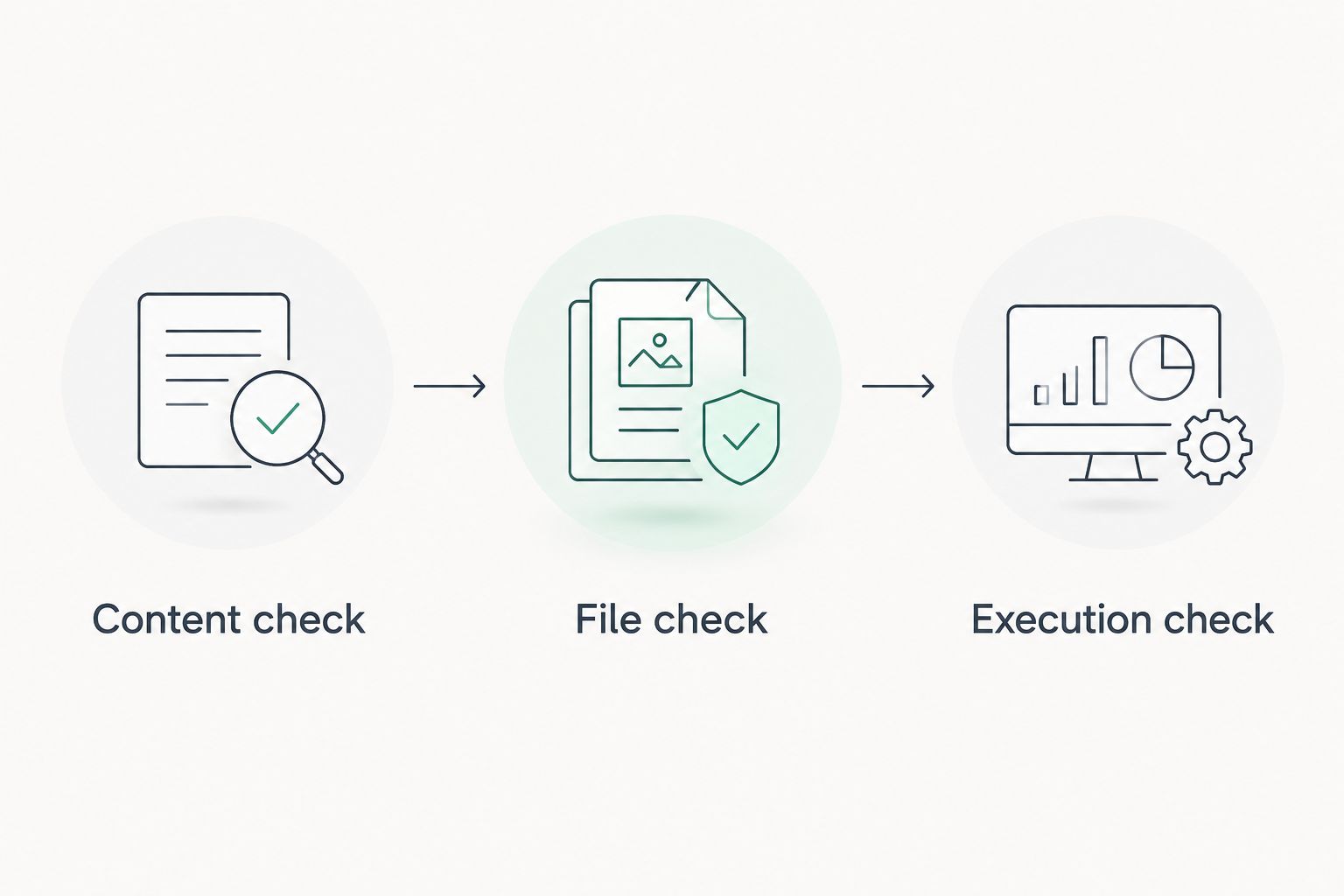
For your 2026 process, make the final review explicit:
- Content check: confirm names, dates, descriptions, and obligations.
- File check: reopen the saved output and inspect the relevant pages.
- Execution check: confirm the applicable signing or other completion requirements.
If a document has significant legal consequences, get qualified advice about its suitability. That recommendation applies whether you begin with a template or an existing file.
Pricing: subscription fit matters more than the headline
Both choices involve subscription decisions, but the value you are buying differs. One centers on online document processing; the other centers on access to legal forms. Compare the subscription against recurring work, not against the vague category of documents.
A subscription can support predictable budgeting when its included access matches your recurring needs. It is less useful when you pay for functions or documents that do not address the task you came to finish.
Check the current billing terms for each service before subscribing:
- What access does the selected subscription include?
- What billing interval are you agreeing to?
- What renewal and cancellation terms apply?
- Does the included scope cover your required workflow?
Neither option wins on subscription value without reference to your task. A legal-form subscription is not automatically good value for repeated file conversion. A document-processing subscription does not resolve a search for the appropriate legal template.
For a 2026 buying decision, compare the current terms with your expected use. Do not infer one service's billing conditions from the other's.
Standout difference: processing breadth versus template sourcing
The central distinction remains the strongest one. The client's stated offering brings conversion, editing, signing, and management into a web-based document-processing tool. US Legal Forms gives template-first users a legal-form catalog as their starting point.
Test that distinction before committing. Start with a non-sensitive document and define 1 completed file as your evaluation outcome: the file should contain the intended content and open correctly after you save it.
If you are evaluating a legal-form library, define success differently. You should be able to identify a candidate form, understand its stated purpose, and determine what further review is required before using it.
Neither test requires an invented performance benchmark. You are checking whether the service resolves your own task. Record any unresolved requirement separately instead of treating a successful download as proof that the whole workflow is complete.
Final verdict: choose for your starting problem
Choose Zendocs if you are an existing-document user
Winner for this profile: Zendocs. You are an individual or business with files already in hand, and your work centers on conversion, editing, signing, or management across PDF and other document formats.
Its limitation is the boundary of that role. Document processing does not identify the legally appropriate template or establish whether your document's contents meet your circumstances.
Choose US Legal Forms if you are a template-first user
Winner for this profile: US Legal Forms. Your immediate need is to find a legal form before completing or processing the document.
Its limitation is the boundary of template access. Finding a candidate form does not eliminate the need to check applicability, instructions, or execution requirements.
| Dimension | Winner |
|---|---|
| Best for | Existing-document users: Zendocs; template-first users: US Legal Forms |
| Legal starting point | US Legal Forms for finding a template |
| Existing-file work | Zendocs for its stated processing scope |
| Format coverage | Zendocs for mixed-format document processing |
| Signing scope | Zendocs for a stated signing function; check execution requirements separately |
| Legal review | Tie: neither replaces a suitability check |
| Pricing model | Tie: choose subscription access around the actual task |
| Standout feature | Processing breadth versus legal-template sourcing |
FAQ
Is Zendocs better than US Legal Forms?
Zendocs is the better fit for processing existing documents online; US Legal Forms is the better starting point for finding a legal template. Choose according to whether your unresolved task is file handling or form selection.
What's the main difference between a PDF editor and a legal-form library?
A PDF editor works on an existing file, while a legal-form library helps you find a starting document. Finding an appropriate template and processing the resulting file are separate tasks.
Which option should I choose if I already have a PDF?
Choose the document-processing option when your existing PDF needs conversion, editing, signing, or management. Check the exact operation you need with a non-sensitive sample before subscribing.
Is US Legal Forms the better choice for finding a legal template?
US Legal Forms is the better starting choice when finding a legal form is your first task. Check the candidate form's purpose, jurisdiction, and instructions before using it.
Does a signature make a legal document ready to use?
A signature alone does not establish that a legal document is ready to use. Check its contents, applicability, and execution requirements separately.
How should I compare subscription costs in 2026?
Compare current subscription terms against the access your task requires. Check included functions, billing interval, renewal, and cancellation terms rather than choosing on a headline alone.
What should I test before choosing a document-processing tool?
Test the required operation using a representative, non-sensitive file. Reopen the saved output and check its content, layout, and readiness for the next step.
One last thing
Reopen the finished file. A completed editing screen is not the same as a checked deliverable. Inspect the saved output before sending it, signing it, or treating it as your final record.
That small step tests the result you actually need: a usable document, not merely a completed interaction with a service.


